Unlocking your Jeep remotely can feel like magic, especially when you use modern technology like Uconnect. This system gives you more control, convenience, and peace of mind. Whether you left your keys inside or want to let someone in from a distance, Uconnect makes unlocking your Jeep simple. Understanding how to use this feature correctly saves time and avoids stress. This guide walks you through the steps, highlights important details, and shares practical insights to help you unlock your Jeep with Uconnect confidently.
What Is Uconnect?
Uconnect is the official infotainment and connectivity system offered by Jeep and other Chrysler brands. It combines navigation, entertainment, and vehicle controls in one interface. Besides playing music or connecting your phone, Uconnect also allows you to control your car remotely using a smartphone app or web portal.
Key Features
- Remote locking/unlocking
- Engine start/stop
- Vehicle location tracking
- Diagnostics and alerts
Not every Jeep model comes with Uconnect, and some features require a subscription. Always check your Jeep’s compatibility before trying to use remote functions.
Unlocking Your Jeep With Uconnect
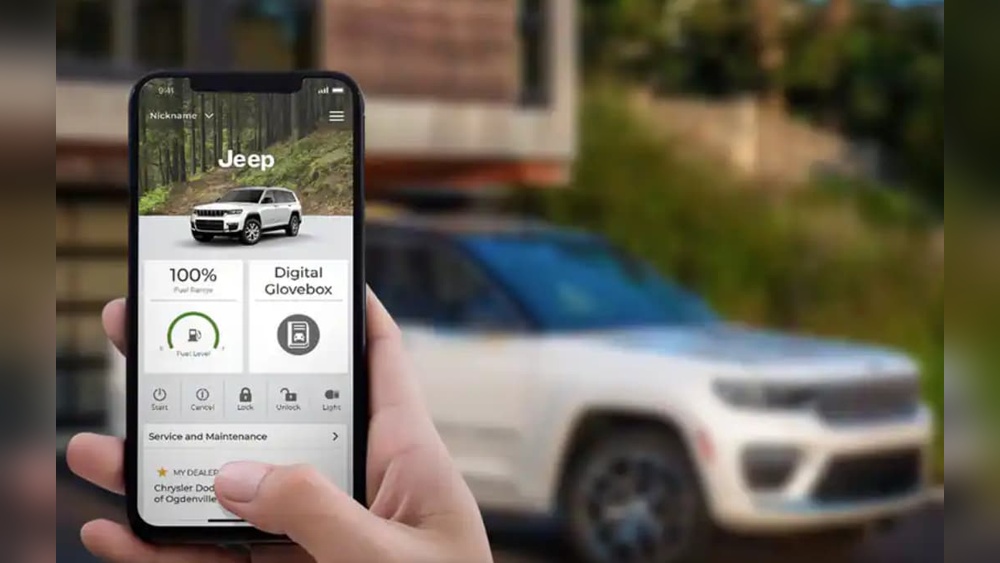
Unlocking your Jeep with Uconnect is straightforward if you follow the right steps. Here’s how to do it:
Step 1: Set Up Your Uconnect Account
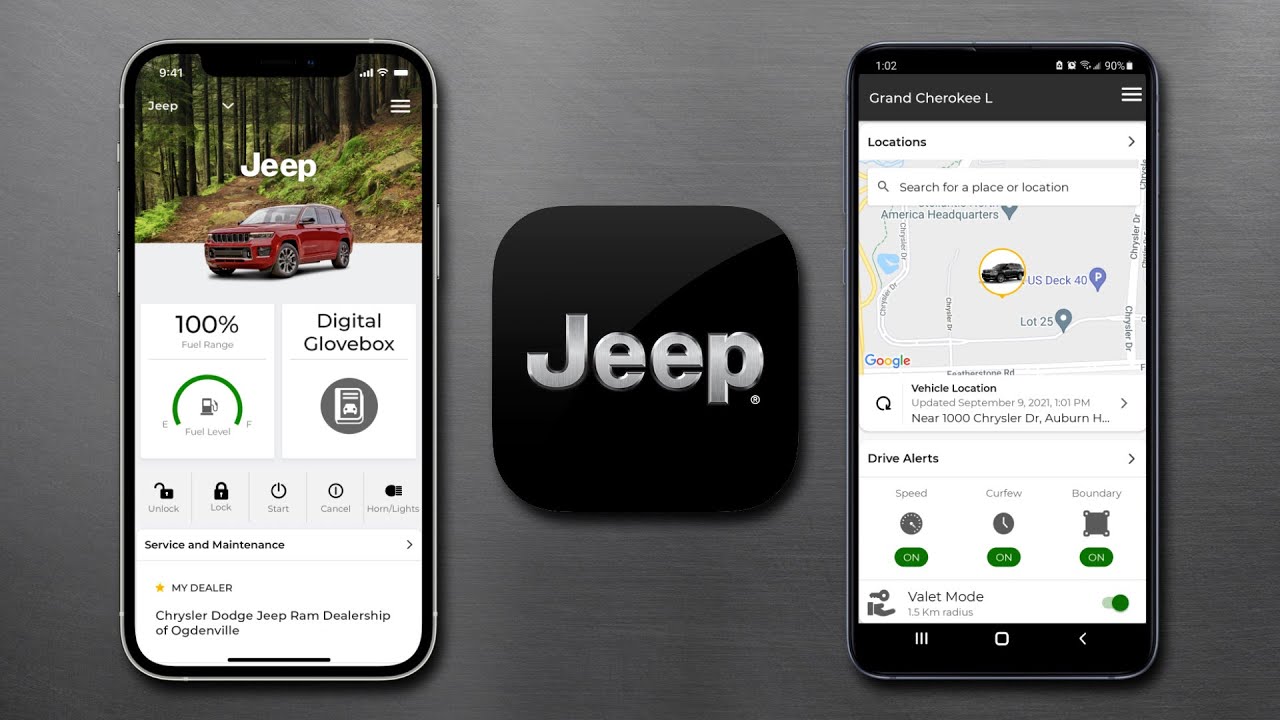
You must register your Jeep with the Uconnect system. Download the Uconnect app from the App Store or Google Play. Create an account using your email, then add your vehicle’s VIN (Vehicle Identification Number). This links your Jeep to your account.
Step 2: Activate Connected Services
Some features, like remote unlocking, require a subscription. Jeep usually offers a free trial period for new vehicles. After that, you’ll need to pay for services like Uconnect Access or Jeep Connect. Confirm your subscription status in the app.
Step 3: Using The Uconnect App
Once your account and subscription are active, open the Uconnect app. Find the “Remote” section. Tap the “Unlock” button. The app will send a signal to your Jeep. Within seconds, your doors should unlock.
Step 4: Confirm Unlocking
The app will show a notification when the command is successful. Your Jeep’s lights may flash, and the doors unlock. If you’re nearby, listen for the click or watch for lights.
Common Issues
- Weak cellular signal can delay commands.
- Wrong VIN or account details will block access.
- Subscription expired? Remote unlock won’t work.

Comparing Uconnect Unlock With Other Methods
Using Uconnect is convenient, but how does it compare to traditional methods? Here’s a quick look:
| Method | Speed | Distance | Security |
|---|---|---|---|
| Uconnect App | Instant (seconds) | Any location | High (requires account) |
| Physical Key | Instant | Must be present | High |
| Key Fob Remote | Instant | 30–60 feet | High |
Uconnect stands out for its remote convenience. You don’t need to be near your car to unlock it. However, the system relies on data connectivity and a valid subscription.
Security And Privacy Concerns
Using technology to unlock your Jeep raises questions about security and privacy. Jeep’s Uconnect system uses encrypted signals to prevent hacking. Your account is protected by passwords and two-factor authentication.
Security Tips
- Choose strong passwords for your Uconnect account.
- Enable two-factor authentication.
- Never share your login details.
- Log out after use on shared devices.
Jeep regularly updates the Uconnect app to fix bugs and improve security. Always install updates promptly.
Troubleshooting Uconnect Unlock Issues
Sometimes, things don’t go as planned. Here’s how to fix common problems:
App Not Working
- Check your phone’s internet connection.
- Restart the app.
- Update the app if needed.
Vehicle Not Responding
- Your Jeep must be parked and turned off.
- Battery issues can block remote commands.
- Contact Jeep support if problems persist.
Subscription Problems
- Check your account status in the app.
- Renew your subscription if expired.
- Contact customer service for help.
Real-world Example
Imagine you’re at a busy mall, and your spouse needs something from your Jeep but doesn’t have the keys. With Uconnect, you can unlock the doors from your phone, no matter where you are. This feature is especially useful for parents, travelers, and anyone who shares their vehicle.
Uconnect Subscription Costs
How much does Uconnect cost? Prices vary by region and Jeep model. Here’s a general comparison:
| Subscription | Monthly Cost | Annual Cost | Remote Unlock |
|---|---|---|---|
| Uconnect Access | $14.99 | $149.99 | Yes |
| Jeep Connect | $12.99 | $129.99 | Yes |
| No Subscription | $0 | $0 | No |
Always check the official Jeep or Uconnect website for current prices and service details. For deeper information, visit Jeep Uconnect Official.
Tips For Beginners
- Check compatibility: Not all Jeeps have Uconnect remote unlock.
- Test the app: Try unlocking your car when nearby first.
- Know your limits: Some older models only support basic Uconnect features.
- Keep your phone charged: Remote unlocking needs your phone and internet.
- Don’t rely only on technology: Carry your physical key for backup.
Many beginners miss that Uconnect commands may take longer in poor network areas. Also, if your Jeep’s battery is low, remote features may not work.
Frequently Asked Questions
How Do I Know If My Jeep Supports Uconnect Remote Unlock?
Check your vehicle manual or the Uconnect app. If your Jeep is 2014 or newer, it likely supports remote features. Some trim levels may require extra hardware.
Is Remote Unlocking Safe From Hackers?
Jeep uses encrypted signals and strong authentication to protect your vehicle. Always use strong passwords and update your app regularly.
Can I Unlock My Jeep If My Phone Has No Internet?
No. The Uconnect app needs a data connection to send commands. You can use Wi-Fi or mobile data.
What Should I Do If I Lose My Phone?
Contact Jeep customer support to secure your account. Change your passwords and use another device to access Uconnect.
Will Remote Unlock Work If My Jeep Battery Is Dead?
No. Your Jeep must have enough battery power to receive signals. If the battery is dead, use the physical key or jump-start your vehicle.
Unlocking your Jeep with Uconnect is fast, easy, and secure when you follow these steps and tips. It’s a smart feature for modern drivers, providing flexibility and safety no matter where you are. Stay informed, keep your app updated, and enjoy the convenience of remote unlocking.