Resetting the Uconnect Jeep system can solve many common problems, from a frozen screen to Bluetooth connection issues. Uconnect is the technology hub in Jeep vehicles, controlling navigation, entertainment, and connectivity. Many Jeep owners face glitches with Uconnect, especially as the system ages or after software updates. Knowing how to reset it can save you time and avoid a trip to the dealership.
This guide explains the best ways to reset Uconnect in a Jeep, including soft and hard resets. You’ll also learn about common mistakes, troubleshooting tips, and when to seek professional help. Whether your Jeep is a Wrangler, Cherokee, Grand Cherokee, or Gladiator, this article covers the steps you need.
When Should You Reset Uconnect?
A reset is not always necessary, but it can help in these situations:
- The touchscreen freezes or becomes unresponsive.
- Bluetooth won’t pair or drops connection.
- Navigation fails to load or gives errors.
- Audio problems (no sound or distorted sound).
- Apps won’t open or update.
Resetting is a simple first step before considering repairs or updates.
Types Of Uconnect Resets
There are two main ways to reset the Uconnect system:
- Soft Reset: Keeps your saved settings and data.
- Hard Reset (Factory Reset): Erases all personal data and returns settings to default.
Here’s a quick comparison:
| Reset Type | What It Does | When To Use |
|---|---|---|
| Soft Reset | Restarts Uconnect, keeps settings | Minor glitches, frozen screen |
| Hard Reset | Wipes data, restores factory settings | Major issues, persistent errors |

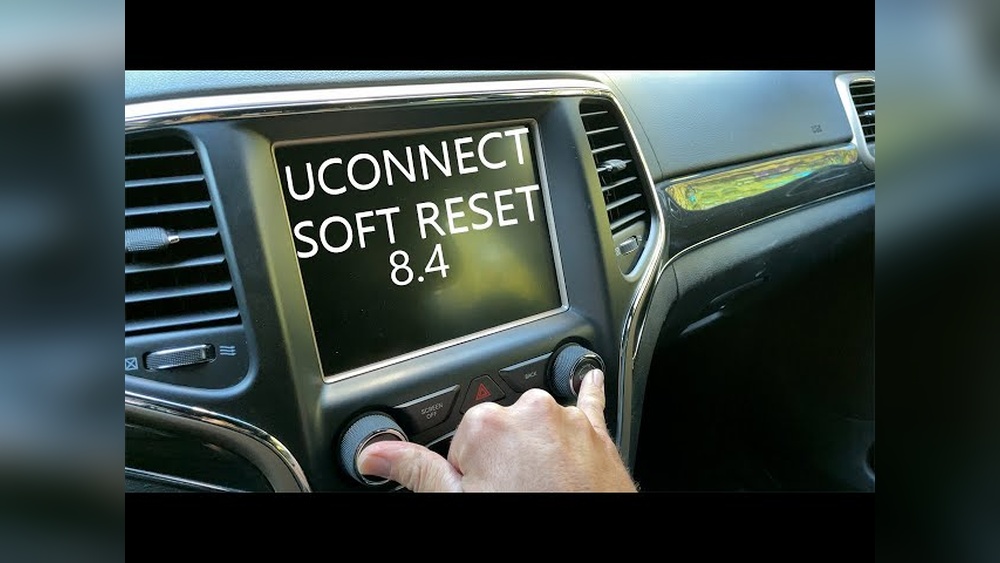
How To Perform A Soft Reset
A soft reset is quick and safe for most issues. Here’s how to do it:
- Turn the ignition on but do not start the engine.
- Press and hold both the volume and tune buttons at the same time.
- Keep holding for about 10–15 seconds.
- The Uconnect screen will turn off, then reboot.
Your settings, paired devices, and radio presets stay the same. If your screen is frozen, this is usually enough to fix it.
Hard Reset (factory Reset) Steps
If your Uconnect system has major problems, a hard reset may be needed. Warning: This will erase all personal data, including paired phones and custom settings.
Follow these steps:
- Start with the vehicle in park and turn the ignition on.
- On the Uconnect touchscreen, go to Settings.
- Select System Information or System Reset (names may vary).
- Tap Restore Factory Settings.
- Confirm your choice and wait for the reset.
After the reset, Uconnect will restart and show the original setup screen.
Here’s a comparison of what gets erased:
| Data | Soft Reset | Hard Reset |
|---|---|---|
| Bluetooth Pairings | Kept | Erased |
| Radio Presets | Kept | Erased |
| Navigation History | Kept | Erased |
| App Data | Kept | Erased |

Common Problems And Solutions
Resetting Uconnect is usually enough for minor issues, but some problems need extra steps.
- Bluetooth not working: After a hard reset, pair your phone again and update its software.
- App errors: Reinstall apps if they don’t work after a reset.
- No sound: Check your vehicle’s audio settings and make sure the speakers are connected.
Some Jeep owners notice that Uconnect problems happen more often after a major system update. If your system is still glitchy after a reset, check for available software updates from Jeep.
Mistakes To Avoid
Many beginners make these errors when resetting Uconnect:
- Not holding the buttons long enough during a soft reset.
- Performing a hard reset without backing up important settings.
- Trying to reset while driving (always do this parked).
- Ignoring software updates after resetting.
Another hidden mistake is not checking for a blown fuse. If your Uconnect won’t turn on at all, a fuse could be the cause.

When To Seek Professional Help
If Uconnect keeps freezing, won’t boot up, or shows error messages after a reset, it might be a hardware issue. Sometimes, the touchscreen or main unit can fail. In these cases, visit your dealership or a trusted auto repair shop.
Jeep technicians can diagnose deeper problems, update the software, or replace defective parts. According to a survey by Consumer Reports, about 15% of Jeep owners reported Uconnect issues that needed professional repair.
Extra Tips For Reliable Uconnect Performance
- Always keep your software updated.
- Disconnect unused paired devices.
- Clean the touchscreen with a soft cloth.
- Avoid extreme temperatures, which can affect electronics.
- Check your owner’s manual for model-specific instructions.
For the latest Uconnect updates and troubleshooting, visit the official Jeep website or reference the Jeep Uconnect page.
Frequently Asked Questions
How Often Should I Reset Uconnect?
Only reset Uconnect when you notice problems. There’s no need for regular resets unless recommended by Jeep after updates.
Will I Lose My Contacts And Apps After A Hard Reset?
Yes, a hard reset erases all personal data, including contacts, paired devices, and custom apps. You must set up everything again.
Can I Reset Uconnect While Driving?
No, always reset Uconnect when the vehicle is parked. Resetting while driving is unsafe and may not work properly.
What If The Screen Stays Black After A Reset?
Check your vehicle’s fuse box. If the fuse is fine and the screen is still black, contact a technician. This could mean a hardware failure.
Is There A Difference Between Uconnect In Different Jeep Models?
The reset process is similar for most Jeep models, but menu names and button locations can vary. Always consult your owner’s manual for details.
Resetting Uconnect in your Jeep is a simple fix for many common issues. By knowing the correct steps and what to expect, you can save time and avoid frustration. With these tips and solutions, your Uconnect system should stay reliable and easy to use.