If your Jeep Compass screen is frozen, glitchy, or not responding, it can make driving stressful. The screen controls many features, from navigation to music and climate. Fixing it often means doing a reset, which can solve most problems quickly. But how do you actually reset the system? Many owners feel confused because the screen doesn’t have a clear “reset” button.
This guide explains step-by-step how to reset the Jeep Compass screen. You’ll learn how to do a soft reset, a factory reset, and what to do if the usual steps don’t work. You’ll also see common mistakes and practical tips. By the end, you’ll feel confident handling screen troubles without needing a mechanic.
Understanding The Jeep Compass Screen
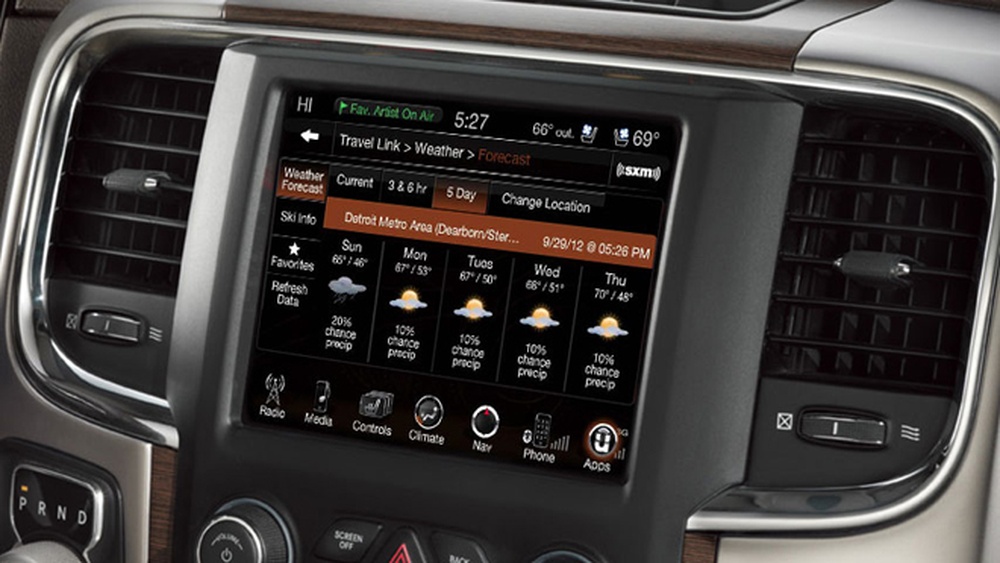
The Jeep Compass uses the Uconnect infotainment system. This system controls your radio, phone connection, navigation, and more. Most models since 2017 have either a 7-inch or 8.4-inch touchscreen.
Over time, you may see issues like:
- Screen freezes or lags
- Black or blank screen
- Touch not responding
- Settings missing or changed
Knowing which Uconnect version you have helps, because the reset steps can vary slightly. Most US models use Uconnect 4 or Uconnect 5.
| Model Year | Screen Size | Uconnect Version |
|---|---|---|
| 2017-2019 | 7-inch | Uconnect 4 |
| 2020-2022 | 8.4-inch | Uconnect 4/5 |
| 2023+ | 8.4-inch | Uconnect 5 |
Soft Reset: Quick Fix For Most Problems
A soft reset is the fastest way to fix minor glitches. You won’t lose your radio stations, paired phones, or custom settings.
Follow these steps:
- Turn your Jeep Compass ON, but keep the engine off.
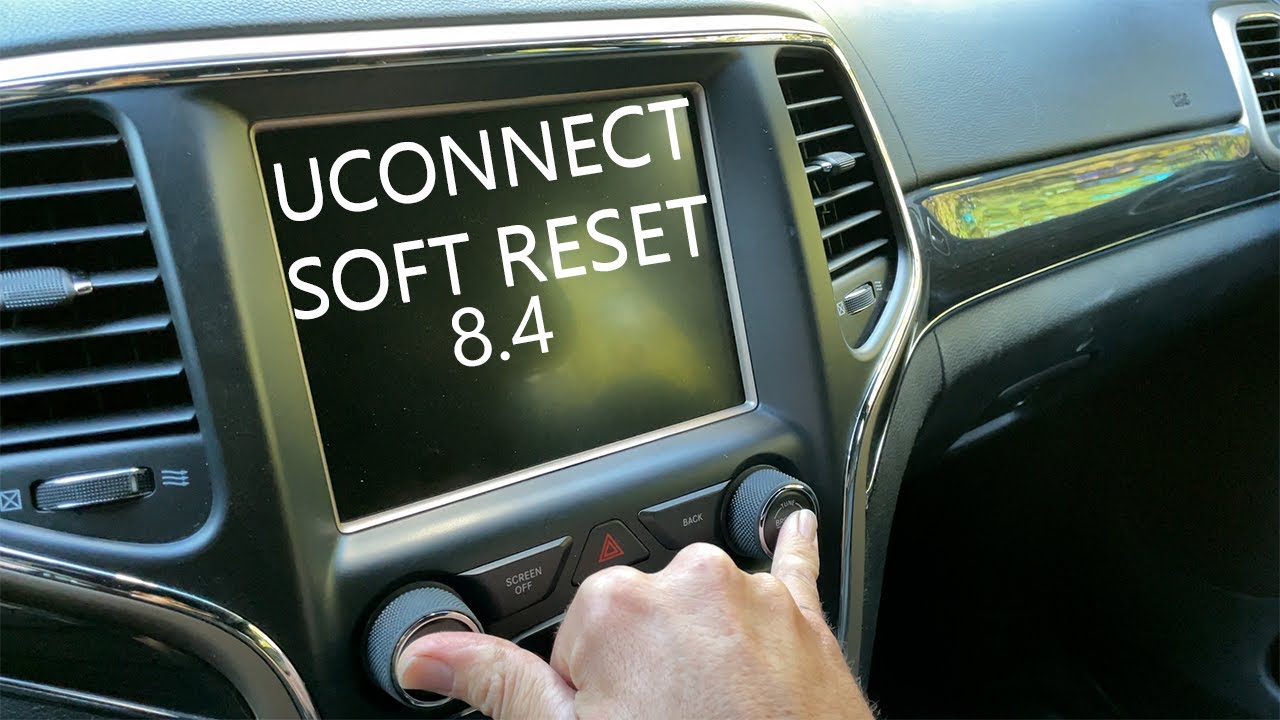
- Press and hold the Volume and Tuning knobs at the same time for about 10 seconds.
- The screen will turn off, then restart after a few seconds.
- Wait for the Jeep logo to appear. Once it does, your screen is reset.
This method works for both Uconnect 4 and Uconnect 5. If your screen is still frozen after this, try repeating the steps once more.
Non-obvious tip: Sometimes the knobs must be pressed a bit harder than usual. If the screen doesn’t restart, try pushing both knobs firmly.
Another insight: If your Compass has push-button start, make sure you’re in “Run” mode but the engine is not running. This avoids draining the battery during the reset.

Factory Reset: When Soft Reset Isn’t Enough
A factory reset will return your screen to original settings. This erases all personal data, like paired phones, custom radio stations, and app settings.
Steps to do a factory reset:
- Go to the Settings menu on the touchscreen.
- Find System Information or System Settings.
- Tap Restore Factory Settings or Reset.
- Confirm the reset when prompted.
The screen will restart and all settings will be wiped. You’ll need to set up your phone and preferences again.
| Reset Type | Data Lost | Problems Fixed |
|---|---|---|
| Soft Reset | No | Minor glitches, freezes |
| Factory Reset | Yes | Major errors, persistent bugs |
Important: Back up your contacts and any critical info before a factory reset. Many people lose their Bluetooth pairings and don’t realize it until later.
What If The Screen Still Won’t Reset?
Sometimes, the screen remains frozen or blank even after both resets. This is usually a sign of deeper issues.
Try these troubleshooting steps:
- Disconnect the car battery for 10 minutes, then reconnect. This often forces a full system reboot.
- Check for Uconnect software updates. Sometimes old software causes bugs. Updates are available on the official Jeep website.
- Inspect fuses related to the infotainment system. A blown fuse can cause the screen to go dark.
If none of these work, visit a Jeep dealership. There might be a hardware failure, which needs professional help.
Example: A 2021 Jeep Compass owner reported that disconnecting the battery fixed a screen that stayed black after a storm. This method is safe but you may need to reset the clock and radio after reconnecting.
Common Mistakes To Avoid
Many Jeep owners make small errors when trying to reset their screens. Here are the most frequent:
- Not pressing both knobs at the same time for a soft reset.
- Trying a factory reset without checking if their phone contacts are backed up.
- Performing a reset while the engine is running, which can cause the screen to restart incorrectly.
- Ignoring software updates, which often fix hidden bugs.
Always follow the steps carefully. Skipping a step can mean the reset doesn’t work.
Practical Tips For A Smooth Reset
- Use clean hands when touching the screen, as dirt can cause false touches.
- Avoid resetting while driving. It’s best to do it parked in a safe place.
- If you’re unsure about your Uconnect version, check your owner’s manual. It usually lists the screen type and reset instructions.
For more detailed instructions, the official Jeep support site is helpful: Jeep Uconnect Support.
Frequently Asked Questions
How Often Should I Reset My Jeep Compass Screen?
You shouldn’t need to reset the screen regularly. If you see glitches more than once a month, check for software updates or ask your dealer.
A soft reset will not erase your data. A factory reset will erase all personal settings, including music preferences and navigation favorites.
Can I Reset The Screen While Driving?
It’s not recommended. You should be parked and the engine off for safety. Some screens may not allow reset while moving.
What Do I Do If The Screen Stays Black After A Reset?
Try disconnecting the battery, then reconnect. If the screen is still black, the issue may be hardware-related and needs a dealer’s help.
Is There A Difference Between Uconnect 4 And Uconnect 5 Reset Steps?
The soft reset steps are the same for both. The menu layout for factory reset may differ, so check your manual if you’re unsure.
Resetting your Jeep Compass screen can solve most problems quickly. By following the steps above, you’ll avoid common errors and keep your infotainment running smoothly. If issues remain, don’t hesitate to get expert help—sometimes a quick fix isn’t enough for deep hardware problems. Your Compass is built for reliability, and with the right approach, your screen will be too.