If you’ve noticed the Forward Collision Warning (FCW) system on your Jeep Grand Cherokee acting up or displaying an alert, you’re probably wondering how to reset it and get back on the road with confidence. Your FCW is a crucial safety feature designed to warn you of potential collisions, so keeping it functioning properly is key.
Luckily, resetting the FCW system isn’t as complicated as it might seem. Whether it’s a sensor glitch, dirt blocking the radar, or a simple system hiccup, this guide will walk you through easy, step-by-step methods to reset your FCW quickly.
Keep reading to discover how you can restore your Jeep’s safety system and drive with peace of mind again.
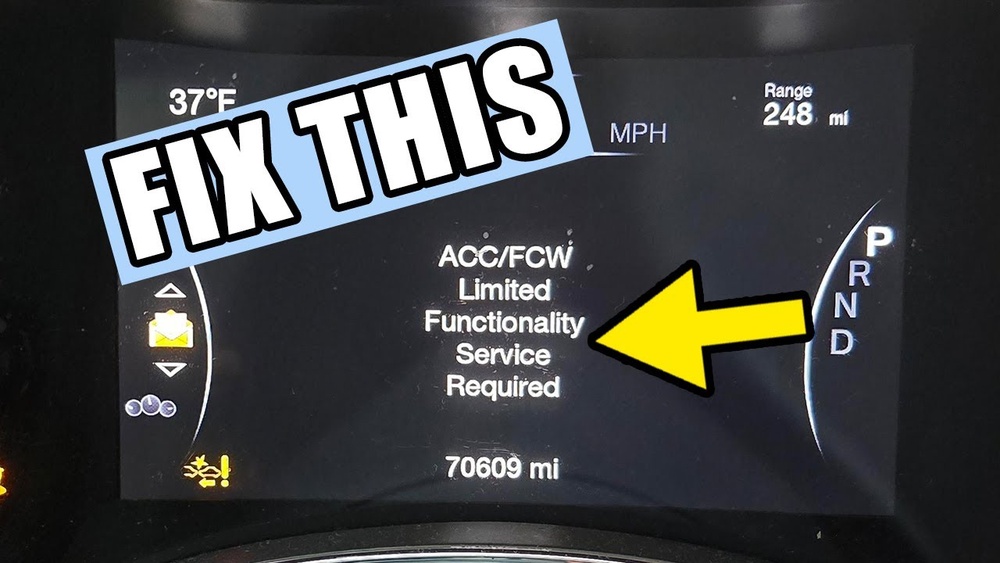
Fcw System Basics
The Forward Collision Warning (FCW) system helps keep you safe on the road. It uses sensors to watch the traffic ahead. The system alerts you if a crash seems likely. Knowing how FCW works is key before resetting it.
What Fcw Does
The FCW system scans the road ahead using radar and cameras. It checks the distance between your Jeep Grand Cherokee and other vehicles. If it detects a possible collision, it warns you quickly. This gives you time to react and avoid an accident. The system can alert you with sounds, lights, or vibrations.
Why Resetting Matters
Sometimes the FCW system may stop working correctly. Dirt on sensors or software glitches can cause errors. Resetting the system clears these problems. It restores the FCW’s ability to detect hazards properly. A reset also helps turn off false warnings that distract the driver. Keeping the system in good shape improves safety for everyone.

Common Fcw Issues
Resetting the Forward Collision Warning (FCW) system on your Jeep Grand Cherokee can improve safety and restore proper function. Several methods allow you to reset the system effectively. Choose the method based on your comfort level and the tools available. Follow each step carefully for the best results.
Reset Via Uconnect Screen
Start your vehicle and access the Uconnect infotainment screen. Tap the Settings menu. Locate and select Safety or Driver Assistance. Find the Forward Collision Warning option. Switch it to OFF, wait about 10 seconds, then switch it back to ON. This process resets the system software and clears minor errors.
Battery Terminal Reset
Turn off your Jeep and open the hood. Use a wrench to loosen the nut on the negative battery terminal. Disconnect the terminal and leave it off for 10 to 15 minutes. Reconnect the terminal and tighten the nut securely. Start your vehicle to check if the FCW warning has cleared. This reset cuts power to the system and allows it to reboot.
Manual Sensor Cleaning
The FCW system depends on radar and camera sensors. Locate the radar sensor in the lower front grille. Inspect the camera behind the rearview mirror inside the windshield. Gently clean both sensors using a soft cloth and mild detergent. Remove dirt, ice, or debris that may block the sensors. After cleaning, start the vehicle and verify if the warning light turns off.
Conclusion
Resetting the Forward Collision Warning on your Jeep Grand Cherokee is simple. Clean the sensors and check the camera area. Use the Uconnect screen to toggle the system off and on again. Disconnecting the negative battery terminal can also clear warnings.
Keep the sensors free from dirt and debris for best results. Regular checks help maintain your safety features. Now, you can drive with confidence knowing your FCW system works properly.