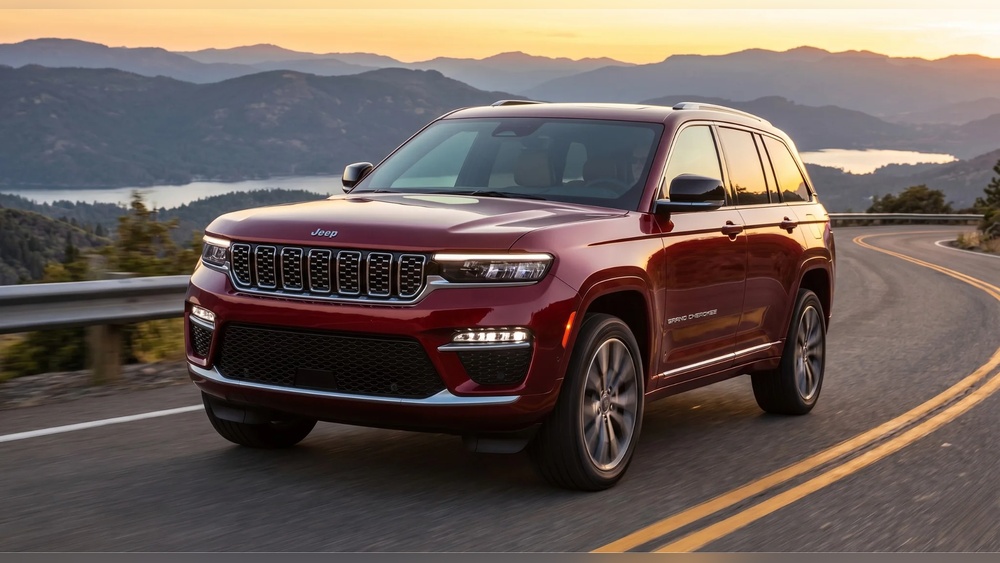
Swapping out the radio in your Jeep Grand Cherokee can breathe new life into your driving experience. Many owners look to upgrade for better sound, smartphone integration, or simply to replace a broken factory unit.
While it sounds simple, radio replacement involves important steps and choices. Understanding what matters—and what can go wrong—will help you avoid headaches and get the most from your investment.
Why Replace Your Jeep Grand Cherokee Radio?
Most Grand Cherokee radios are reliable, but technology moves fast. Many factory radios lack features like Bluetooth, Apple CarPlay, or even good sound quality. Some common reasons for replacement include:
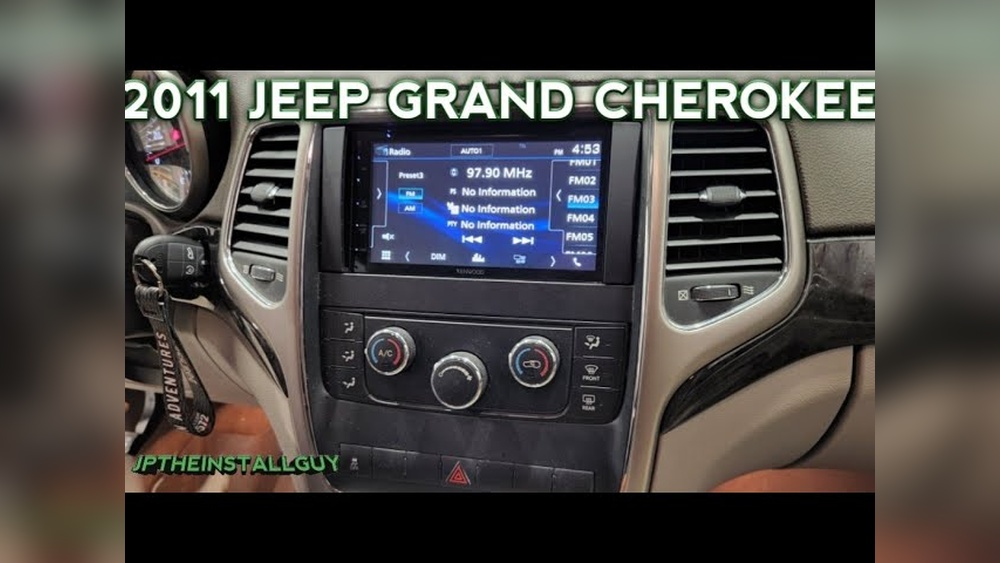
- Factory unit stopped working
- Poor audio performance
- Desire for navigation or touchscreen controls
- Need for hands-free calling and modern apps
Older models, especially before 2014, often lack modern functions. Even newer models can benefit from aftermarket upgrades that offer more customization and better usability.
Choosing The Right Replacement Radio
Finding the best fit means thinking beyond just the price or appearance. Here’s what you need to consider:
Compatibility
Not all radios fit all Grand Cherokees. Dash shape, wiring, and features like steering wheel controls matter. Always check:
- Your model year (2011-2026 models are most popular for upgrades)
- Trim level and factory features
- Double DIN vs. single DIN openings
Features To Look For
Popular features in aftermarket radios include:
- Touchscreen displays
- Bluetooth for calls and music
- Apple CarPlay or Android Auto
- USB ports and backup camera support
- Satellite radio
If you want to keep steering wheel controls, choose a radio with the right adapters.
Budget And Brand
Prices range from under $150 to over $1,000. Top brands for Jeep upgrades include Pioneer, Kenwood, Alpine, and Sony. Budget units may lack support or durability.
Factory System Comparison
Understanding how aftermarket radios stack up can help you decide.
| Feature | Factory Radio | Aftermarket Radio |
|---|---|---|
| Bluetooth | Sometimes | Yes, standard |
| Apple CarPlay/Android Auto | Rare | Common |
| Navigation | Optional/Extra Cost | Often included |
| Sound Quality | Basic | High (with better speakers) |
Step-by-step: How To Replace Your Jeep Grand Cherokee Radio
Replacing a radio isn’t just plug and play—especially with modern electronics. Here’s a clear guide:
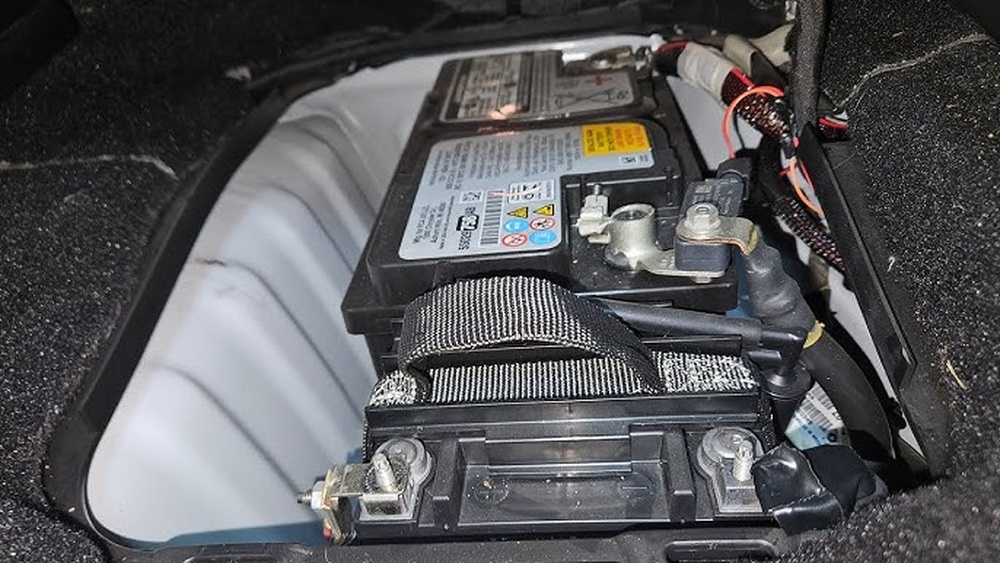
- Disconnect the Battery: Always remove the negative cable to avoid short circuits.
- Remove Trim Panels: Use a plastic trim tool to avoid scratches. Start around the radio and work outward.
- Unscrew the Factory Radio: Usually, four screws hold it in place.
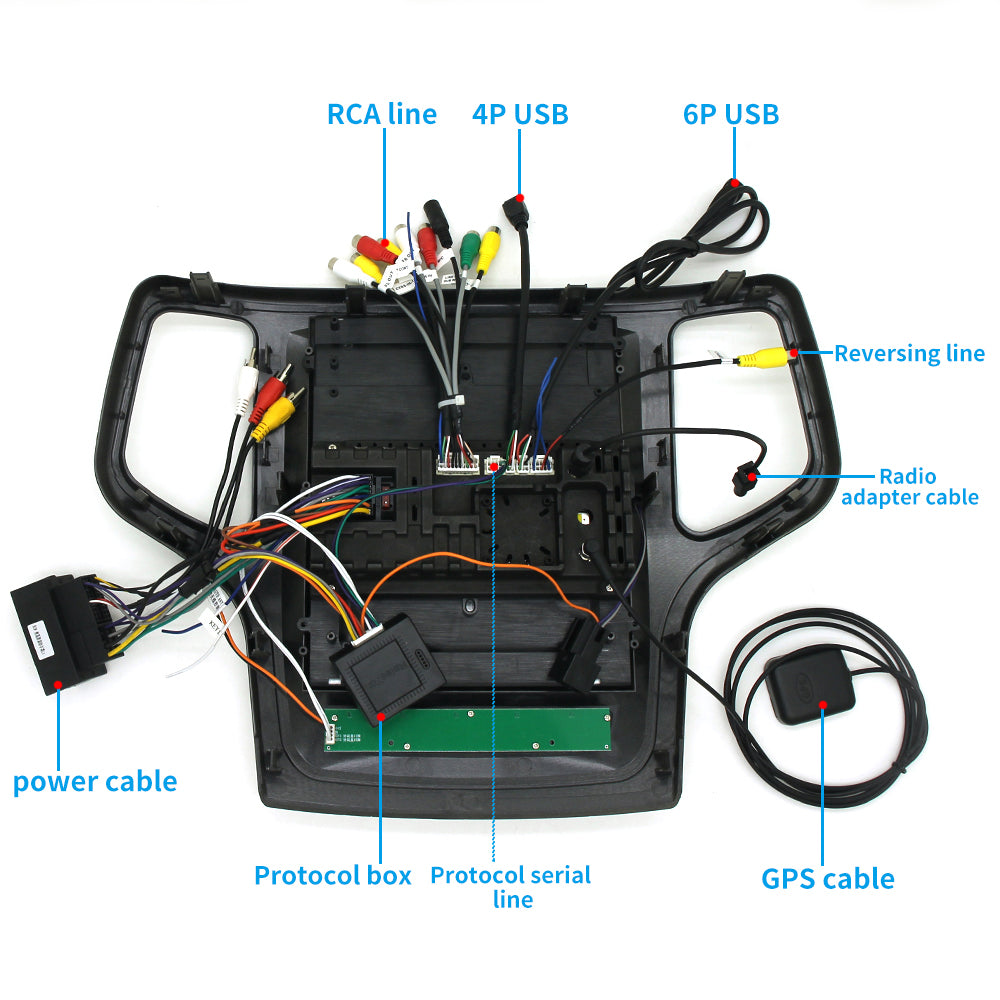
- Disconnect Wiring Harness: Gently unplug all connectors. Take a photo for reference.
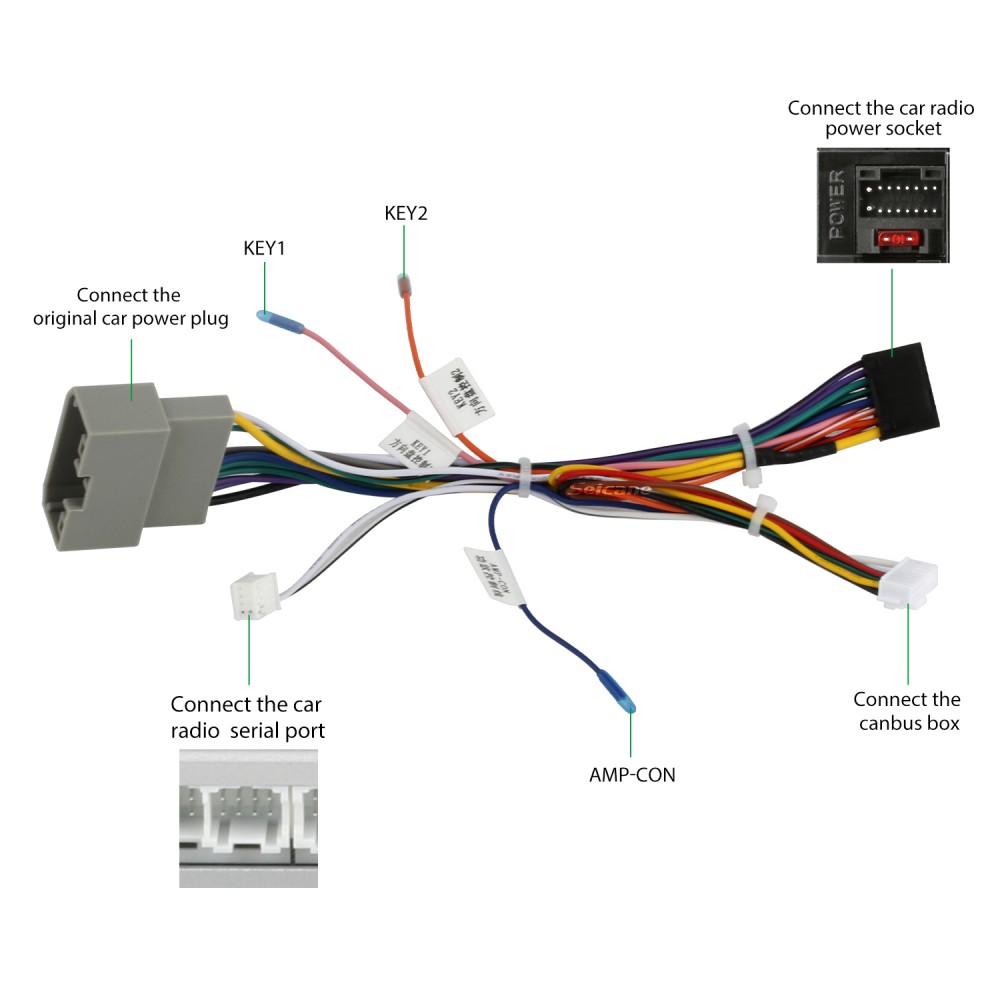
- Install Adapter Harness: Most aftermarket units need a special harness to connect with Jeep’s wiring.
- Mount the New Radio: Connect the harness, test the radio, then screw it into place.
- Replace Trim and Reconnect Battery: Snap panels back and reconnect the battery.
Example: 2015 Grand Cherokee Laredo
On a 2015 Laredo, the trim pops off with careful prying. The factory radio uses a unique plug, so an adapter is essential. If you skip the adapter, features like the backup camera or steering wheel controls may stop working.
Common Mistakes
- Not using the correct harness (loses features)
- Skipping the battery disconnect (risk of damage)
- Forcing trim panels (causes cracks or scratches)
Professional Install Vs. Diy
Not sure if you should do it yourself? Here’s a quick comparison:
| Factor | DIY | Professional Install |
|---|---|---|
| Cost | Low ($0-$50 tools) | Higher ($100-$200 labor) |
| Time Needed | 2-4 hours | 1-2 hours |
| Risk | Medium (if inexperienced) | Low |
| Warranty | No/Maybe | Yes (shop warranty) |
Most owners with basic tools can handle the swap. But if your Jeep has a premium sound system or lots of features, a professional is safer.
Keeping Factory Features
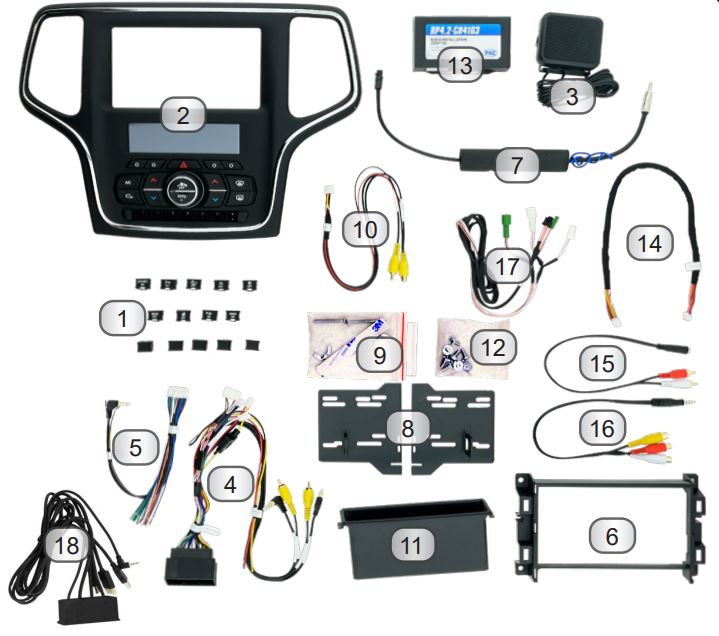
Many Jeep Grand Cherokees have factory extras like backup cameras, steering wheel audio controls, or even factory amplifiers. When replacing your radio, you need the right adapters to keep these working.
- Backup Camera Adapter: Keeps your camera working on the new display.
- Steering Wheel Control Interface: Lets you control volume, tracks, and calls.
- Antenna Adapter: Ensures FM/AM reception.
Missing these adapters is a common mistake. Check your radio kit to make sure these are included.
Real-world Tips For A Smooth Upgrade
- Buy quality adapters. Cheap ones often fail or cause static.
- Test before final assembly. Turn on your Jeep and check all features—like sound, radio, and camera—before snapping the dash back together.
- Keep your old radio. Some states require it for inspection, or you may want to reinstall later.
- Update your radio’s firmware. Aftermarket radios sometimes need updates to fix bugs or add features.
Cost Breakdown
A typical Grand Cherokee radio replacement costs:
- Radio unit: $200–$900
- Wiring harness/adapters: $30–$120
- Professional installation: $100–$200 (if not DIY)
Most owners spend $300–$700 in total for a quality upgrade.
Are Aftermarket Radios Reliable?
Modern aftermarket radios from top brands are reliable and often outlast factory units. However, very cheap brands can have issues like:
- Poor touchscreens
- Software bugs
- Bad Bluetooth connections
For best results, stick with major brands and buy from trusted retailers. Reading customer reviews can help spot problems before you buy. For more technical details, check the Aftermarket (automotive) page on Wikipedia.
Closing Thoughts
A new radio can transform your Jeep Grand Cherokee, adding features and making every drive more enjoyable. With the right planning and parts, you can upgrade in a few hours—saving money and gaining modern tech. Remember to check compatibility, use quality adapters, and don’t rush the installation. Your Jeep deserves a radio that matches its reputation for adventure and comfort.
Frequently Asked Questions
<!– wp:rank-math/faq-block {"questions":[{"id":"faq-question-99ea12c0e08f","title":"What Size Radio Fits My Jeep Grand Cherokee?","content":"Most Grand Cherokees use a double DIN size, but always check your model year and trim. Some older models may need special dash kits.
“,”visible”:true},{“id”:”faq-question-de511f91da5a”,”title”:”Will I Lose My Backup Camera After Replacing The Radio?”,”content”:”Not if you use the correct backup camera adapter. Without it, the camera may not work with the new radio.
“,”visible”:true},{“id”:”faq-question-4f25a6f0d539″,”title”:”Can I Keep Steering Wheel Controls With A New Radio?”,”content”:”Yes, with a steering wheel control interface. Make sure your new radio and adapter support this feature.
“,”visible”:true},{“id”:”faq-question-c73e7054f4e6″,”title”:”Is It Hard To Replace The Radio Myself?”,”content”:”For most owners, it’s a moderate DIY job—about 2–4 hours. Having the right tools and instructions makes it much easier.
“,”visible”:true},{“id”:”faq-question-23cda6f1ed9f”,”title”:”Will Replacing My Radio Affect My Jeep’s Warranty?”,”content”:”If your Jeep is still under warranty, check with your dealer. Using a professional installer and proper parts usually protects your coverage, but self-installation can sometimes cause issues if not done correctly.
“,”visible”:true}]} –>What Size Radio Fits My Jeep Grand Cherokee?
Most Grand Cherokees use a double DIN size, but always check your model year and trim. Some older models may need special dash kits.
Will I Lose My Backup Camera After Replacing The Radio?
Not if you use the correct backup camera adapter. Without it, the camera may not work with the new radio.
Can I Keep Steering Wheel Controls With A New Radio?
Yes, with a steering wheel control interface. Make sure your new radio and adapter support this feature.
Is It Hard To Replace The Radio Myself?
For most owners, it’s a moderate DIY job—about 2–4 hours. Having the right tools and instructions makes it much easier.
Will Replacing My Radio Affect My Jeep’s Warranty?
If your Jeep is still under warranty, check with your dealer. Using a professional installer and proper parts usually protects your coverage, but self-installation can sometimes cause issues if not done correctly.