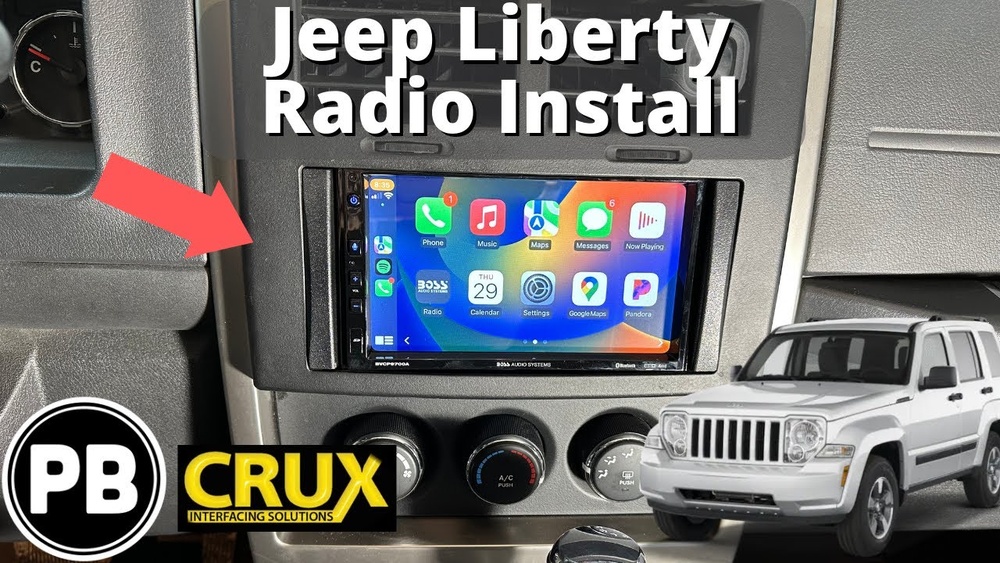
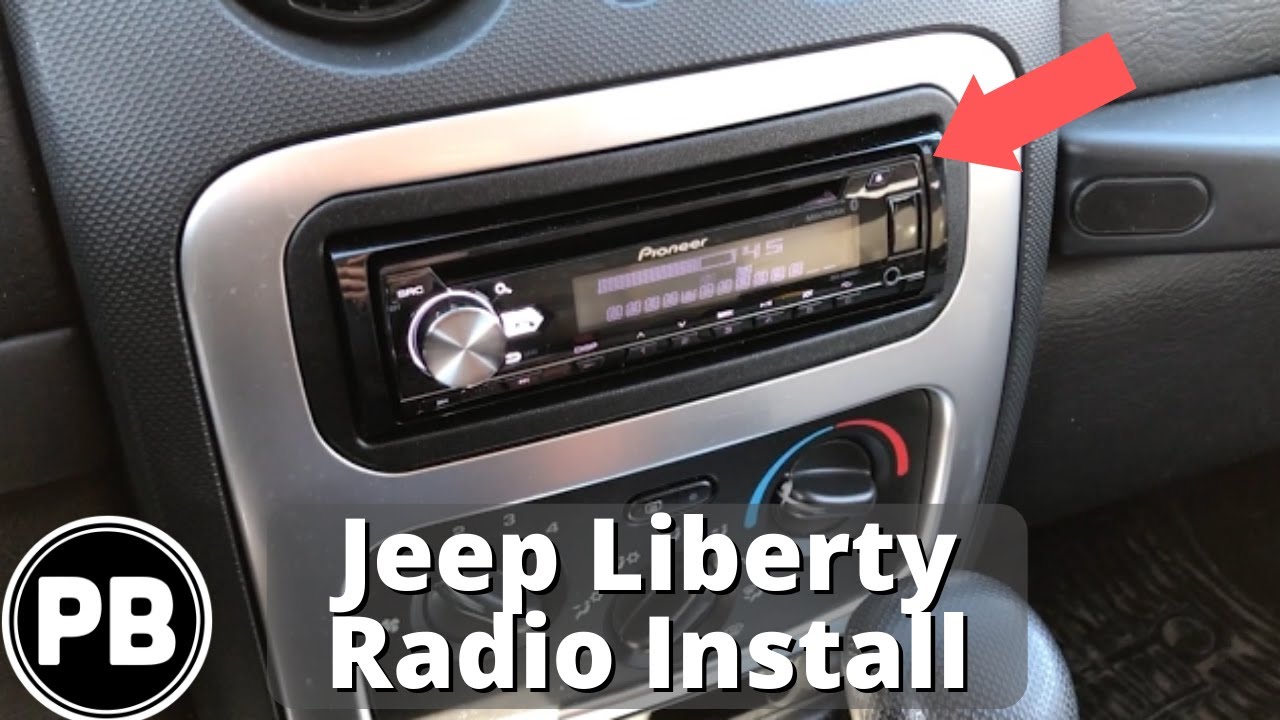
Swapping out the radio in your Jeep Liberty can make every drive more enjoyable. Whether your factory radio stopped working or you just want better sound and new features, a radio replacement is one of the most popular upgrades for this SUV.
Many Liberty owners are surprised by how much a new stereo can modernize their driving experience. But what does it really take to replace your Jeep Liberty radio?
Let’s look at what you need, what to watch out for, and how to get the best results.
Why Replace Your Jeep Liberty Radio?
The Jeep Liberty (sold from 2002 to 2012) came with basic radios that lack many features drivers want today. Most original radios do not have Bluetooth, USB, or smartphone integration. Some have poor sound quality or display issues as they age.
Upgrading your radio can bring:
- Modern features like hands-free calling, Apple CarPlay, or Android Auto
- Better sound quality with more settings and power
- USB or AUX inputs for music from your phone or flash drive
- A fresh look for your dashboard
Many owners also replace their radio because the old one has failed or the display no longer works. With new technology available, a radio swap is a cost-effective way to add convenience and value.
Choosing The Right Replacement Radio
Not every aftermarket radio fits perfectly in the Jeep Liberty. Here are the main things to consider:
Size And Fit
The Jeep Liberty uses a double-DIN radio opening (about 7″ wide by 4″ tall). Some models have a single-DIN slot with a pocket below, but most use the double size.
| Radio Type | Fits Jeep Liberty? | Typical Features |
|---|---|---|
| Single-DIN | Yes (with dash kit) | Basic, sometimes Bluetooth |
| Double-DIN | Yes | Touchscreen, CarPlay, Android Auto |
Before buying, check your Liberty’s year and dash style. 2002–2004 and 2005–2012 models have slight differences in mounting and wiring.
Features To Look For
- Bluetooth for hands-free calls and music streaming
- USB ports for charging and music
- Touchscreen displays (if you want navigation or apps)
- Apple CarPlay/Android Auto for smartphone integration
- Backup camera input (optional, but useful)
Wiring And Dash Kits
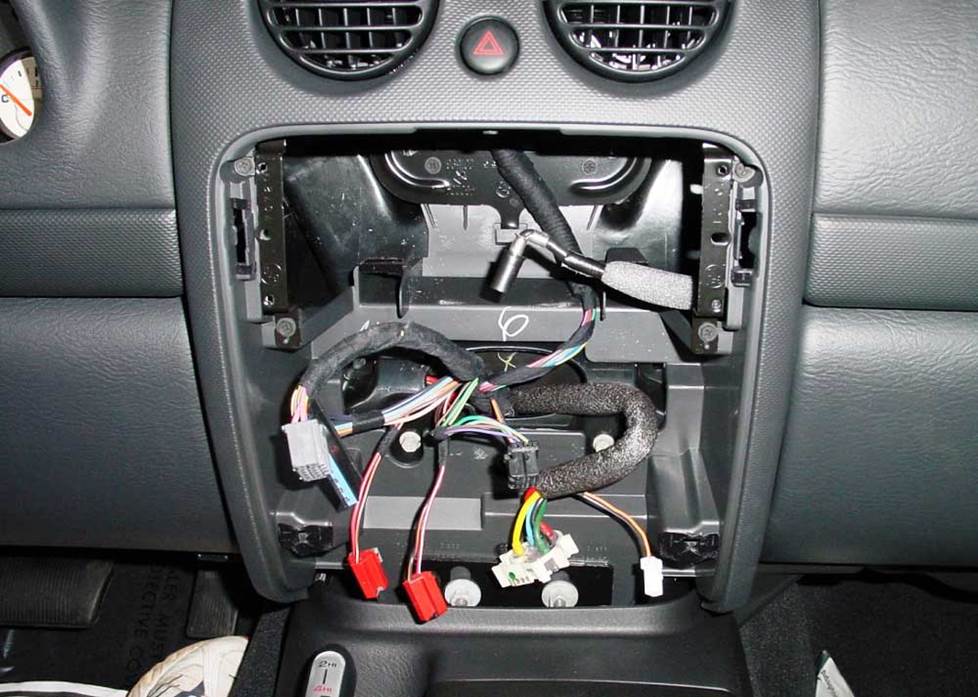
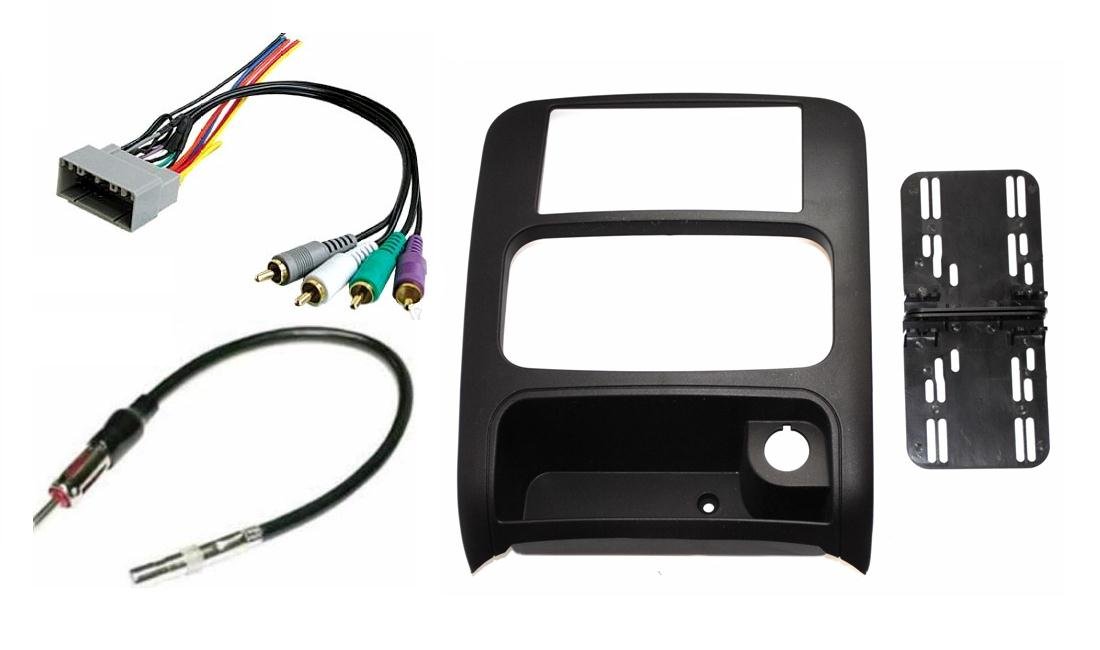
Factory radios use special plugs. You’ll need a wiring harness to connect a new radio without cutting wires. A dash kit helps the new radio fit snugly and look factory-made.
Many owners forget the antenna adapter—without it, your new radio won’t get AM/FM stations. Always check what’s included in the radio package.
Step-by-step Guide To Replacing Your Jeep Liberty Radio
Replacing the radio is a straightforward project, even for beginners. It usually takes about 1–2 hours.
Tools And Materials
- Screwdrivers (Phillips and flathead)
- Panel removal tool (plastic preferred)
- Wiring harness adapter (specific for Jeep Liberty)
- Dash kit (if required)
- Antenna adapter
- Electrical tape or wire connectors
Step 1: Disconnect The Battery
Safety first. Disconnect the negative battery cable to avoid short circuits or airbag warning lights.
Step 2: Remove The Dash Trim
Use a panel tool to gently pop off the dash bezel around the radio. Be careful not to break any clips.
Step 3: Remove The Factory Radio
Unscrew the mounting bolts (usually 4). Slide out the radio and unplug the connectors and antenna.
Step 4: Prepare The Wiring
Connect the wiring harness adapter to your new radio’s wires. Match colors (power, ground, speakers, etc.). Use crimp connectors or solder for a solid connection.
Step 5: Install Dash Kit And New Radio
Attach the dash kit to your new radio if needed. Plug the harness and antenna adapter into the vehicle. Slide the radio into place and secure with screws.
Step 6: Test Everything
Before reattaching the dash, reconnect the battery and turn on the radio. Check sound, Bluetooth, and other features.
Step 7: Reassemble The Dash
Snap the dash trim back in place. Make sure all clips are secure and there are no gaps.
Cost And Value Comparison
How much should you budget for a Jeep Liberty radio replacement? Here’s a quick look:
| Item | Low-End Cost | High-End Cost |
|---|---|---|
| Radio Unit | $50 | $350+ |
| Wiring Harness | $15 | $40 |
| Dash Kit | $15 | $40 |
| Professional Install | $60 | $150 |
DIY installation saves money, but a pro install can ensure everything works perfectly. Many chain stores offer free or discounted installation with radio purchase.
Common Mistakes To Avoid
- Skipping the wiring harness – Cutting factory wires makes future upgrades difficult and can cause electrical issues.
- Forgetting the antenna adapter – This is a common oversight, leading to no radio reception.
- Not testing before reassembly – Always check all functions before snapping the dash back.
- Choosing the wrong size radio – Double-check your dash opening before buying.
- Ignoring steering wheel controls – If your Jeep has these, you’ll need an extra adapter to keep them working.
One detail many beginners miss: Some 2002–2004 Libertys have a unique CAN bus system. In these cases, you may need a special interface to keep warning chimes and features working.
Tips For A Seamless Upgrade
- Take photos during disassembly so you remember how everything fits.
- Label wires if you’re unsure about connections.
- Spend a few extra dollars on a quality dash kit—it makes a big difference in appearance.
- Check for firmware updates if your new radio is a touchscreen model.
For extra guidance, the Crutchfield Jeep Liberty guide offers great visuals and advice.
Frequently Asked Questions
<!– wp:rank-math/faq-block {"questions":[{"id":"faq-question-00d1b0d29d47","title":"How Do I Know If A Double-din Radio Will Fit My Jeep Liberty?","content":"Almost all Jeep Liberty models (especially 2005–2012) have a double-DIN opening. Measure your factory radio to confirm, or check your owner’s manual for radio size.
“,”visible”:true},{“id”:”faq-question-04ca133d5bc6″,”title”:”Will I Lose Steering Wheel Controls With A New Radio?”,”content”:”If your Liberty has steering wheel audio controls, you’ll need a special adapter to keep them working. Not all radios support these, so check compatibility before buying.
“,”visible”:true},{“id”:”faq-question-9e6b5a783614″,”title”:”Do I Need Any Special Tools?”,”content”:”Basic hand tools and a plastic trim removal tool are usually enough. A wiring harness adapter makes installation easier and avoids damaging the car’s wiring.
“,”visible”:true},{“id”:”faq-question-e9042b781a66″,”title”:”Can I Install A Backup Camera With A New Radio?”,”content”:”Yes, many modern touchscreen radios support backup cameras. You’ll need to install the camera separately, but most double-DIN units have a dedicated video input.
“,”visible”:true},{“id”:”faq-question-d2b5d1f514f0″,”title”:”What If My New Radio Doesn’t Turn On?”,”content”:”Check all connections and fuses first. Make sure the wiring harness is securely connected and the battery is reconnected. If it still doesn’t work, consult the radio’s manual or ask a professional installer.
Upgrading your Jeep Liberty radio can make every drive more enjoyable and modern. With careful planning and the right tools, even a beginner can complete this project in an afternoon. Take your time, and enjoy your new sound system!
“,”visible”:true}]} –>How Do I Know If A Double-din Radio Will Fit My Jeep Liberty?
Almost all Jeep Liberty models (especially 2005–2012) have a double-DIN opening. Measure your factory radio to confirm, or check your owner’s manual for radio size.
Will I Lose Steering Wheel Controls With A New Radio?
If your Liberty has steering wheel audio controls, you’ll need a special adapter to keep them working. Not all radios support these, so check compatibility before buying.
Do I Need Any Special Tools?
Basic hand tools and a plastic trim removal tool are usually enough. A wiring harness adapter makes installation easier and avoids damaging the car’s wiring.
Can I Install A Backup Camera With A New Radio?
Yes, many modern touchscreen radios support backup cameras. You’ll need to install the camera separately, but most double-DIN units have a dedicated video input.
What If My New Radio Doesn’t Turn On?
Check all connections and fuses first. Make sure the wiring harness is securely connected and the battery is reconnected. If it still doesn’t work, consult the radio’s manual or ask a professional installer.
Upgrading your Jeep Liberty radio can make every drive more enjoyable and modern. With careful planning and the right tools, even a beginner can complete this project in an afternoon. Take your time, and enjoy your new sound system!