Imagine being able to start your Jeep from your phone, without holding keys or stepping outside. This isn’t just a cool trick—it’s a practical feature that saves time, boosts comfort, and adds security. Today, more Jeep owners are asking how to start their Jeep from an app. This guide explains everything you need to know, step-by-step, so you can use this modern feature with confidence.
Starting your Jeep from an app is possible with most new models, thanks to Uconnect and other remote services. You’ll learn how the system works, what you need, and how to avoid common mistakes. We’ll also compare app features, costs, and share real-life examples. If you’re a beginner or not so tech-savvy, don’t worry—every step is clear and simple.
What Is Jeep Remote Start From App?
Jeep’s remote start from app lets you control your vehicle using your smartphone. With apps like Uconnect or Jeep Connect, you can:
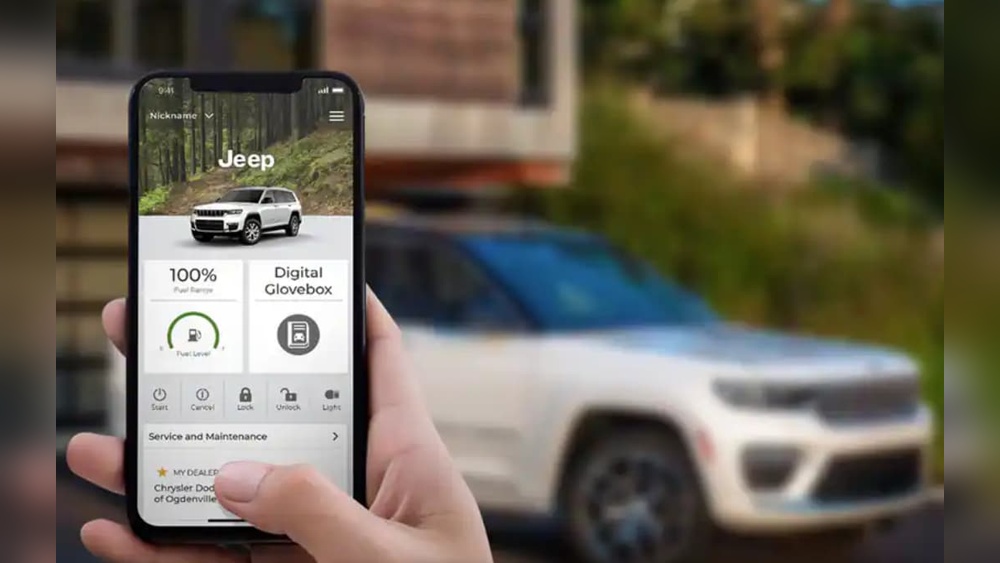
- Start the engine
- Lock or unlock doors
- Check vehicle status
- Locate your Jeep
This feature is popular for cold mornings, hot days, or when you want extra security. You can turn on the car, set climate controls, and make sure it’s ready when you arrive.
Requirements To Start Jeep From App
Before you can start your Jeep from an app, you need a few key things:
- Compatible Jeep model: Most Jeeps from 2018 onwards support remote start via app. Check your owner’s manual or Jeep website to confirm.
- Remote start system installed: Some basic trims may not have remote start; it’s usually standard or optional in mid/high trims.
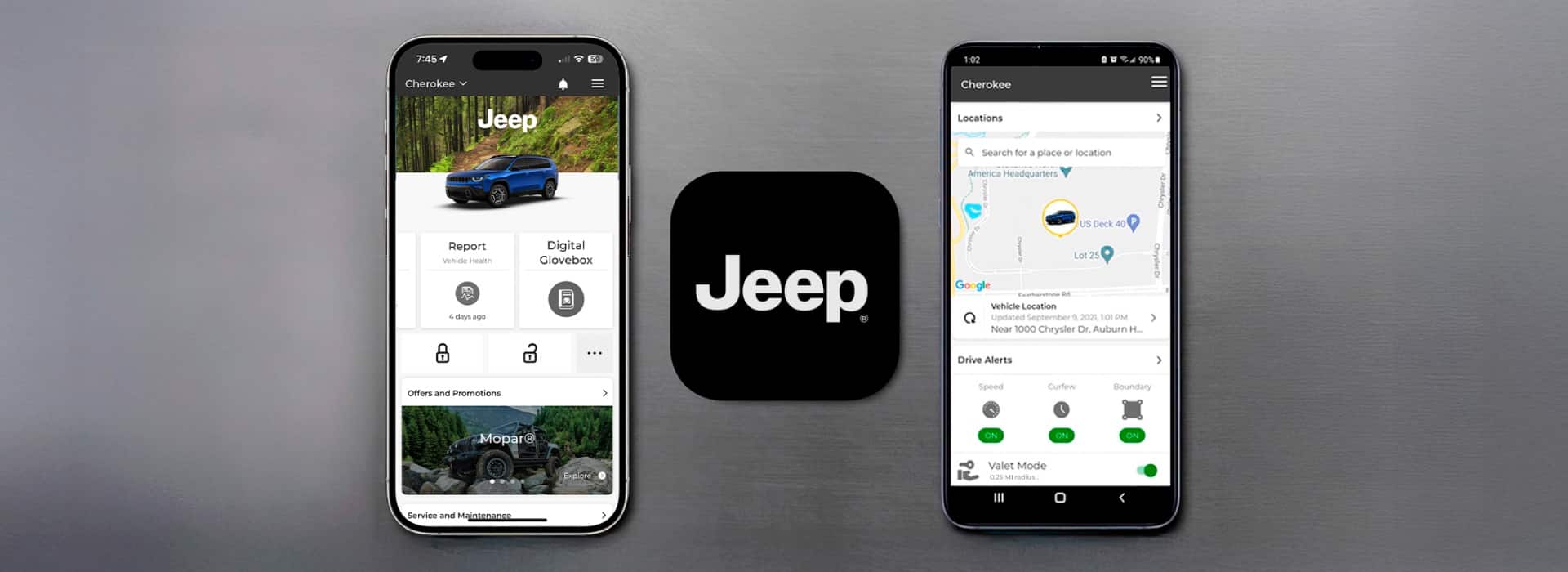
- Uconnect or Jeep Connect app: Download the official app from Apple App Store or Google Play.
- Active subscription: Remote services require a paid plan. Prices usually start around $15/month or $150/year.
- Smartphone with internet: Your phone needs data or Wi-Fi.
- Account setup: Register your Jeep, add VIN, and verify ownership in the app.
Here’s a quick comparison of which Jeep models support remote start from app:
| Model | Year | Remote Start App Support | Subscription Required |
|---|---|---|---|
| Jeep Grand Cherokee | 2018–2024 | Yes | Yes |
| Jeep Wrangler | 2019–2024 | Yes | Yes |
| Jeep Compass | 2020–2024 | Yes | Yes |
| Jeep Renegade | 2020–2024 | Yes | Yes |
| Jeep Gladiator | 2020–2024 | Yes | Yes |
Tip: If your Jeep is older or doesn’t have remote start, you might need to install an upgrade kit. These can cost $300–$600 plus installation.
Step-by-step: How To Start Jeep From App
Here is a simple guide for beginners. These steps work for most Jeeps using Uconnect or Jeep Connect.
- Download the app: Search for Uconnect or Jeep Connect in your phone’s app store.
- Create an account: Enter your email, create a password, and verify your identity.
- Add your Jeep: Enter your VIN (Vehicle Identification Number). You can find this on your dashboard or registration.
- Activate subscription: Choose a plan, enter payment info, and activate remote services.
- Connect your phone: Make sure your phone has internet and Bluetooth (if needed).
- Open the app: Log in, select your Jeep from the dashboard.
- Find ‘Remote Start’: Tap the remote start icon or button.
- Confirm action: Some apps ask for a PIN or confirmation.
- Wait for confirmation: You’ll get a message when your Jeep starts.
Example: You want to warm your Jeep before work. Open the app, tap ‘Remote Start,’ and your engine starts. The app shows engine status and lets you set climate controls.
Common Mistakes To Avoid
- Not activating your subscription—remote start won’t work without it.
- Entering the wrong VIN—double-check numbers and letters.
- Weak phone signal—remote start needs good internet.
- App not updated—install the latest version for best performance.
Features You Get With Jeep Remote Start App
Starting your Jeep is just one feature. Here’s what else you can do:
- Lock/unlock doors: Secure your Jeep from anywhere.
- Check fuel and battery: Monitor levels before long trips.
- Locate your vehicle: Find your Jeep in crowded parking lots.
- Set climate controls: Pre-heat or cool the cabin.
- Receive alerts: Get notifications for maintenance or security.
| Feature | Available In App | Manual Key Fob |
|---|---|---|
| Remote Start | Yes | Yes |
| Door Lock/Unlock | Yes | Yes |
| Vehicle Location | Yes | No |
| Climate Control | Yes | Limited |
| Alerts & Notifications | Yes | No |
Pros And Cons Of Starting Jeep From App
Using your phone to start your Jeep has clear benefits—but there are also a few drawbacks.
Pros:
- Convenience: Start your Jeep from anywhere—home, office, mall.
- Comfort: Warm or cool the cabin before you enter.
- Security: Lock/unlock doors remotely, get alerts.
- Peace of mind: Check vehicle status anytime.
Cons:
- Monthly cost: Most apps require a paid subscription.
- App issues: Sometimes the app crashes or is slow.
- Dependency on phone signal: No internet, no remote start.
- Privacy concerns: Your data is stored in the cloud.
Non-obvious insight: Some insurance companies offer discounts for cars with connected security features. Ask your agent if remote start app qualifies.
Price, Subscription, And Cost Details
Remote start from app is not free. Here’s what you can expect:
- Uconnect subscription: Starts at $14.99/month or $149.99/year.
- Jeep Connect subscription: Similar pricing.
- Upgrade kit (if needed): $300–$600 plus labor.
- App download: Free, but requires subscription for features.
Many Jeep owners get a free trial (30 days to 1 year) when buying a new vehicle. After that, you must pay to keep remote features.
Cost Comparison Table
| Service | Monthly Cost | Annual Cost | Free Trial |
|---|---|---|---|
| Uconnect | $14.99 | $149.99 | 1 Year |
| Jeep Connect | $15.00 | $150.00 | 30 Days |
| Upgrade Kit | N/A | $300–$600 (one-time) | N/A |
Example: If you drive a 2022 Jeep Grand Cherokee, you’ll likely get a free Uconnect trial. After 12 months, renew or lose remote start features.
Security And Privacy Concerns
Using an app to start your Jeep means sharing data online. Most apps use encryption and secure servers, but you should:
- Use strong passwords
- Enable two-factor authentication
- Update apps regularly
- Avoid public Wi-Fi when using the app
Non-obvious insight: If you sell your Jeep, remove your account from the app to avoid sharing access with the new owner.
Real-life Examples And User Experiences
Many Jeep owners share positive experiences with remote start apps:
- “I use the app to start my Jeep every morning in winter. The cabin is warm when I leave the house.”
- “I locked my keys inside. The app saved me—unlocked the doors instantly.”
- “I travel often. The app helps me locate my Jeep in airport parking.”
But: Sometimes users report app glitches or delays, especially in areas with poor cell signal. Always keep the app updated for best performance.

Practical Tips For Beginners
If you’re new to remote start apps, these tips help you avoid frustration:
- Practice at home: Try remote start in your driveway before using it in public.
- Check battery levels: Both your Jeep and phone need enough power.
- Keep your subscription active: Set reminders to renew.
- Update app: Install updates for bug fixes and new features.
Extra tip: If your Jeep doesn’t start from the app, restart your phone, check signal, or contact Jeep support.
Alternative Ways To Start Jeep Remotely
If you don’t want to use the app, you can:
- Use the key fob’s remote start button (usually press twice)
- Install aftermarket remote start kits
- Try third-party apps (only for some models)
But the official Jeep app is safest and most reliable.
Where To Get More Help
If you have trouble, visit your Jeep dealer or the official Jeep support site. You can also learn more at Jeep Uconnect, which explains features and troubleshooting.
Frequently Asked Questions
How Do I Know If My Jeep Supports Remote Start From App?
Check your owner’s manual or the Jeep website. Most 2018+ models with Uconnect or Jeep Connect support this feature.
Is Starting My Jeep From App Safe?
Yes, apps use encrypted connections. For extra safety, use strong passwords and enable two-factor authentication.
How Much Does Jeep Remote Start App Cost?
Most subscriptions cost $15/month or $150/year. Some new Jeeps include a free trial for 1 year.
Can I Use Remote Start App Outside The Us?
The app works anywhere you have internet, but some features may be limited by region or phone carrier.
What Should I Do If The App Doesn’t Start My Jeep?
Check your phone’s internet, make sure your subscription is active, and update the app. If problems continue, contact Jeep support or visit your dealer.
Ready To Start Your Jeep From App?
Remote start is more than a luxury—it’s a practical tool for comfort, security, and peace of mind. With the right app, setup, and subscription, you can control your Jeep with just a tap. Follow the steps above, watch for common mistakes, and enjoy the convenience of starting your Jeep from your phone.
Meta Title: How To Start Jeep From App: Complete Step-By-Step Guide
Meta Description: Learn how to start your Jeep from an app with easy steps. Discover requirements, features, costs, and practical tips for beginners. Find answers to common questions and compare remote start options.