If you own a Jeep Grand Cherokee, you may need to reset some features or systems from time to time. Resetting can fix common problems like warning lights, Bluetooth issues, or restoring factory settings. Many drivers worry about doing this themselves, but you don’t need special tools or advanced skills. This guide explains how to reset a Jeep Grand Cherokee, covering different methods, reasons, and tips. You’ll learn step-by-step instructions, pros and cons, typical costs, and answers to common questions. Whether you drive a newer model or an older Jeep, resetting can save you time and money.
Why Reset Your Jeep Grand Cherokee?
Resetting your Jeep Grand Cherokee can solve many issues. Some examples include:
- Clearing the check engine light
- Fixing electronic glitches
- Restoring the radio or display screen
- Resetting oil change reminders
- Improving Bluetooth connection
Modern Jeeps rely on computers for most functions. Sometimes, these systems get confused or need a fresh start. A reset can help your car run smoother or clear annoying alerts.
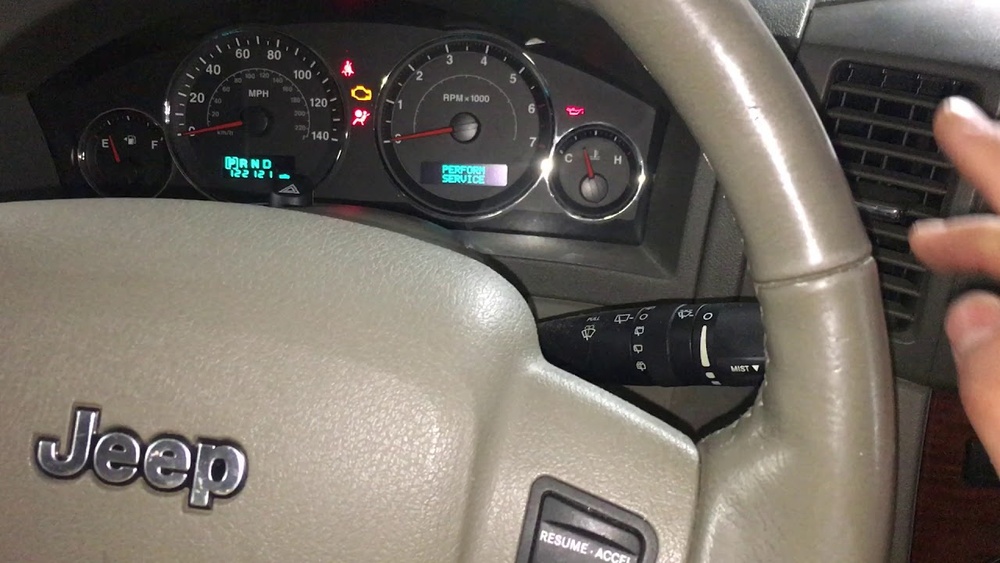
Types Of Resets For Jeep Grand Cherokee
Different problems need different resets. Here are the main types:
1. Ecu/pcm Reset
The Engine Control Unit (ECU) or Powertrain Control Module (PCM) manages engine and transmission. Resetting it can clear error codes and improve performance.
2. Radio/uconnect Reset
The Uconnect system controls the radio, touchscreen, and Bluetooth. Resetting fixes bugs or freezes.
3. Oil Change Light Reset
After changing oil, you must reset the reminder light.
4. Battery Disconnect Reset
Disconnecting the battery can reset many systems at once.
5. Tpms (tire Pressure Monitoring System) Reset
This clears tire pressure warnings.
6. Factory Reset
Returns all settings to original state.
Each reset has its own steps and effects. Let’s look at the details.
Step-by-step: Ecu/pcm Reset
Resetting the ECU or PCM can clear error codes and help if your Jeep feels sluggish. Here’s how you can do it:
1. Turn Off The Ignition
Make sure your Jeep is off.
2. Disconnect The Battery
Open the hood. Use a wrench to remove the negative cable from the battery. Wait at least 15 minutes.
3. Reconnect The Battery
Attach the negative cable back. Tighten it securely.
4. Start The Jeep
Turn the ignition on and let the Jeep idle for a few minutes.
5. Drive Normally
This helps the ECU relearn settings.
Pros And Cons
Pros:
- Clears most error codes
- Improves performance
Cons:
- May erase radio presets
- Some systems need to relearn
Resetting The Uconnect/radio System
If your Uconnect touchscreen freezes or won’t connect to Bluetooth, a simple reset can help. There are two ways:
Soft Reset
- Turn the ignition on
- Press and hold the volume and tuner buttons
Hold both for about 10 seconds.
3. Wait For The Screen To Go Black And Restart
Hard Reset
1. Remove Fuse 37
Locate the fuse box under the hood.
- Wait 30 seconds
- Replace the fuse
Data Table: Uconnect Reset Methods
| Method | Time Required | Tools Needed | When to Use |
|---|---|---|---|
| Soft Reset | 1 minute | None | Screen freeze, Bluetooth issue |
| Hard Reset | 5 minutes | Fuse puller | Major system error |
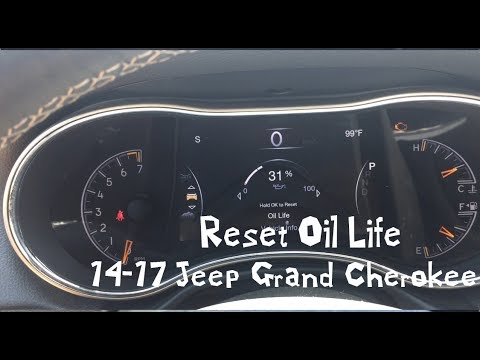
Oil Change Light Reset
After an oil change, the light may stay on. Resetting is easy:
- Turn the ignition on (not engine)
- Press the gas pedal three times within 10 seconds
- Turn ignition off
- Restart the engine and check if light is off
This method works for most Grand Cherokee models from 2011 onward.
Battery Disconnect Reset
Disconnecting the battery can reset several systems, including the ECU and Uconnect. Here’s how:
- Turn off the Jeep
- Open the hood
- Disconnect negative battery cable
- Wait at least 15 minutes
- Reconnect cable
- Start the Jeep
This is a “global reset. ” It often clears check engine lights and other errors.
Battery Reset Vs. Ecu Reset Table
| Reset Type | Systems Affected | Needed Tools | Risk |
|---|---|---|---|
| Battery Disconnect | ECU, Uconnect, TPMS | Wrench | May erase settings |
| ECU Reset | Engine only | Wrench | Safe |
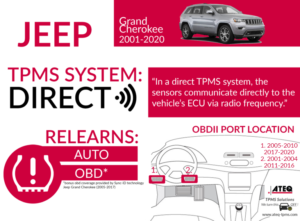
Tpms Reset (tire Pressure Monitoring System)
If your tire pressure light stays on, try this:
1. Check Tire Pressure
Inflate all tires to correct PSI.
- Drive for 10 minutes at 30 mph
- Turn the Jeep off and on
Most times, the TPMS will reset itself. If not, visit a dealer to use a scan tool.
Factory Reset: Restoring All Settings
A factory reset returns all settings to the original state. This is useful before selling your Jeep or after major software issues.
How To Factory Reset
- Go to Uconnect settings
- Select “Restore Settings” or “Factory Reset”
- Confirm your choice
- Wait for the system to reboot
This wipes personal data, paired phones, and custom settings. Always back up important info first.
When You Should Not Reset Your Jeep Grand Cherokee
Sometimes, a reset is not the best option. For example:
- If your Jeep has a serious engine problem, resetting won’t fix it.
- If a warning light comes back after a reset, see a mechanic.
- If your Jeep is under warranty, ask your dealer before resetting.
Resetting is a great first step, but it’s not a cure-all. Always check your owner’s manual for warnings.
How Much Does It Cost To Reset A Jeep Grand Cherokee?
Most resets are free if you do them yourself. If you visit a dealer, costs can vary:
- ECU/PCM reset: $50–$100
- Uconnect reset: $40–$80
- TPMS reset: $30–$60
Factory resets are usually free at home, but dealers may charge for software updates. Battery disconnect costs nothing except your time.
Common Mistakes To Avoid
Many beginners make simple mistakes:
- Not waiting long enough after disconnecting the battery
- Skipping fuse replacement after Uconnect reset
- Pressing wrong buttons for oil light reset
- Forgetting radio codes (older models may need a code after battery reset)
- Ignoring serious warning lights (resetting can hide real problems)
Always double-check steps and read your owner’s manual.
Real-world Example: Resetting A 2018 Jeep Grand Cherokee
Let’s say your 2018 Grand Cherokee has a check engine light and Bluetooth won’t connect. Here’s what you could do:
- Try a soft Uconnect reset (hold volume/tune buttons).
- Disconnect the battery for 15 minutes.
- Reconnect and start the Jeep.
- If the check engine light stays on, use an OBD-II scanner to read the code.
Usually, this solves minor bugs. If not, visit your dealer.

How To Reset Jeep Grand Cherokee: Pros And Cons
Resetting your Jeep is quick, cheap, and can fix many issues. But there are risks.
Pros:
- Saves money
- Easy to do at home
- Works for most problems
Cons:
- May erase settings
- Doesn’t fix serious mechanical problems
- Some errors may return
Jeep Grand Cherokee Reset: Comparison Table
Here’s a quick look at major reset types:
| Reset Type | Difficulty | Cost | Common Uses |
|---|---|---|---|
| ECU/PCM Reset | Medium | Free/$50-100 | Engine codes, performance |
| Uconnect Reset | Easy | Free/$40-80 | Radio, Bluetooth |
| Oil Light Reset | Easy | Free | After oil change |
| Battery Disconnect | Easy | Free | Multiple systems |
| TPMS Reset | Easy | Free/$30-60 | Tire warning |
| Factory Reset | Easy | Free | All settings |
Useful Tips For Resetting Your Jeep Grand Cherokee
- Always keep a wrench and fuse puller in your car.
- Take a photo of your settings before a factory reset.
- Write down radio presets and Bluetooth devices.
- If your Jeep is still under warranty, call the dealer first.
- Use an OBD-II scanner to check codes before and after a reset.
Where To Find More Information
For detailed guides, check your Jeep owner’s manual or visit official sources like Jeep’s official website. These resources offer updated instructions and safety tips.
Short Conclusion
Resetting your Jeep Grand Cherokee can solve many common problems. Most resets are simple and cost nothing if you do them at home. Always follow clear steps, avoid common mistakes, and check your manual. If resets don’t work or warnings return, see a mechanic. With the right approach, you can keep your Jeep running smoothly and avoid expensive repairs.
Frequently Asked Questions
How Often Should I Reset My Jeep Grand Cherokee?
You don’t need to reset your Jeep often. Only reset when you see warning lights or experience system glitches. Most drivers do resets after oil changes or major service.
Will Resetting Erase My Radio Presets Or Bluetooth Settings?
Some resets, especially battery disconnect or factory reset, will erase your presets. Write them down before you begin.
Can I Reset My Jeep Grand Cherokee Without Tools?
Yes, most resets need no tools. For battery or fuse resets, a basic wrench or fuse puller is helpful.
Is It Safe To Reset The Ecu Myself?
Resetting the ECU is safe for most models. Just follow steps carefully and wait at least 15 minutes after disconnecting the battery.
What If A Warning Light Comes Back After A Reset?
If a warning light returns, it means there’s a real issue. Use an OBD-II scanner or visit your mechanic for diagnosis.
—
Meta Title:
How To Reset Jeep Grand Cherokee: Step-by-step Guide For Beginners
Meta Description:
Learn how to reset your Jeep Grand Cherokee with easy steps. Fix warning lights, Uconnect issues, oil reminders, and more. Simple guide for beginners with FAQs and tips.