If you drive a Jeep with the Uconnect system, you know how important this technology is. Uconnect connects your phone, music, navigation, and more to your vehicle. But to keep everything working smoothly and safely, you must update Uconnect Jeep regularly. Many owners don’t realize updates can fix bugs, add new features, and improve performance. This guide will show you, step-by-step, how to update Uconnect Jeep, what you need, and what to expect. Beginners will find clear instructions, examples, and tips. Let’s get started so your Jeep stays connected and up-to-date.
What Is Uconnect And Why Update It?
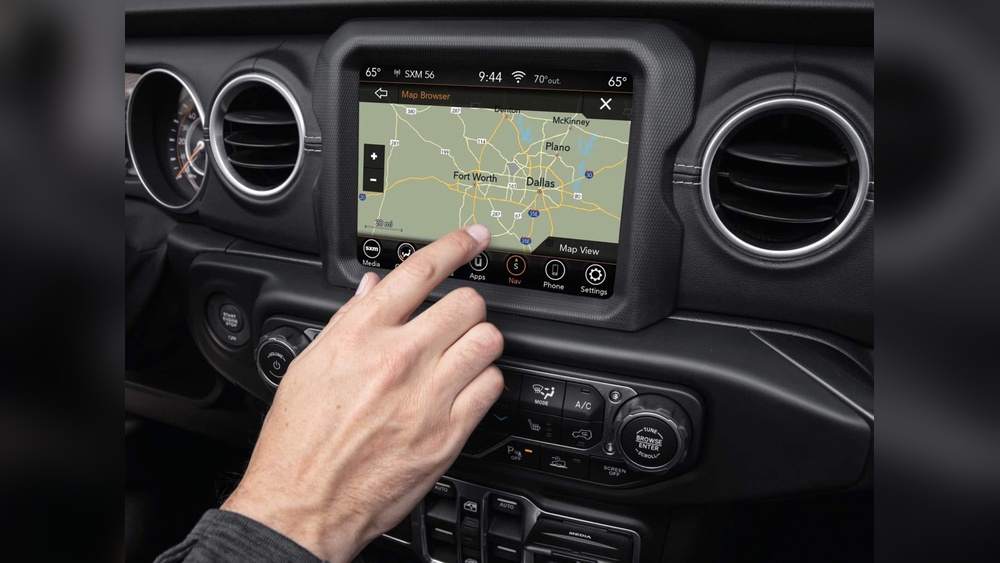
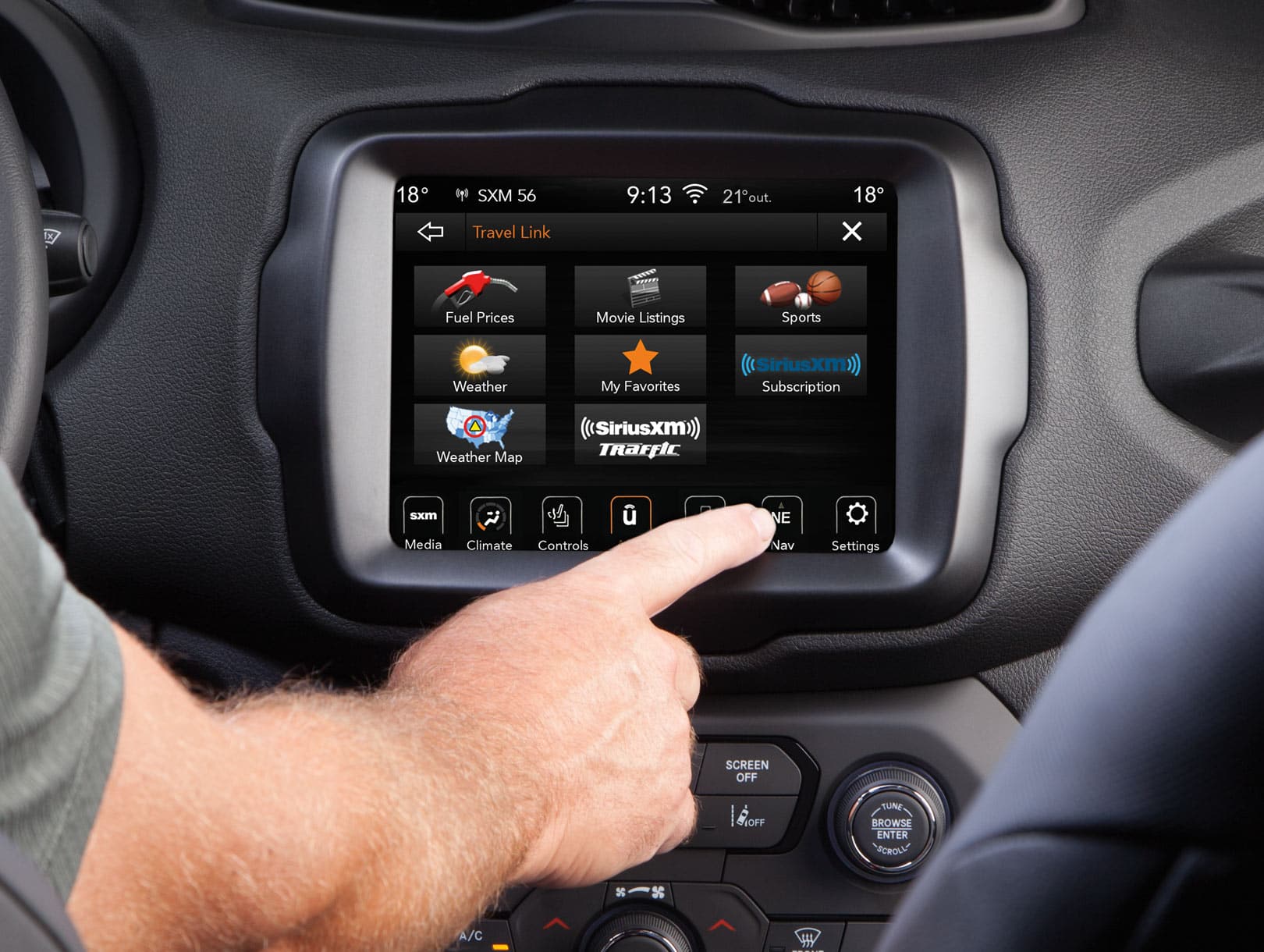
Uconnect is the infotainment system in many Jeep vehicles. It controls your radio, Bluetooth, navigation, apps, and sometimes climate settings. Think of it as the “brain” for your car’s tech.
Updating Uconnect Jeep is important for several reasons:
- Bug fixes: Updates solve problems from earlier versions.
- Security: Updates protect your data and privacy.
- New features: Sometimes you get new apps or improved controls.
- Compatibility: Updates ensure your phone and apps work with Uconnect.
For example, Jeep released an update in 2023 that improved Bluetooth reliability and fixed GPS errors. Without updates, your Uconnect might miss these improvements.
Different Ways To Update Uconnect Jeep
There are three main ways to update Uconnect in your Jeep. Each method depends on your vehicle’s model year and Uconnect version.
1. Over-the-air (ota) Updates
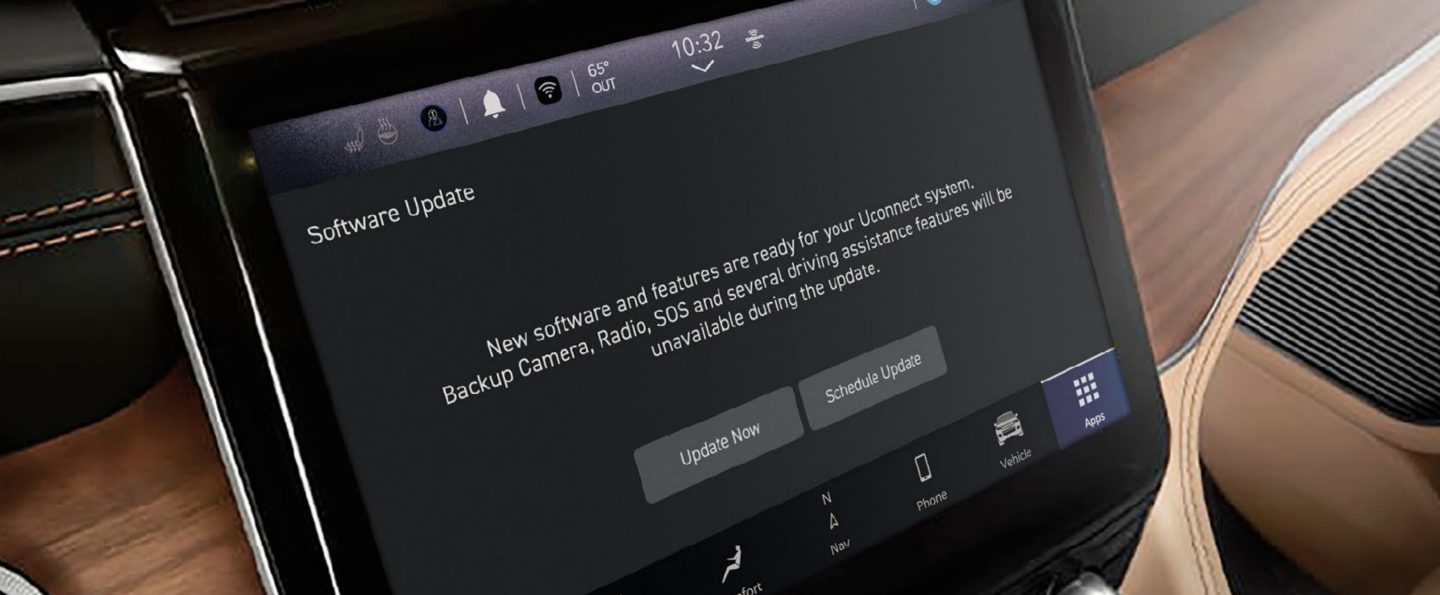
Newer Jeeps (mostly after 2017) can receive OTA updates. Your vehicle downloads the update automatically when connected to Wi-Fi.
Steps for OTA update:
- Turn on your Jeep and park in a safe spot.
- Connect Uconnect to a Wi-Fi network.
- If an update is available, you’ll see a notification.
- Follow the on-screen prompts to install the update.
Example: A 2022 Jeep Grand Cherokee receives OTA updates without needing a USB drive.
2. Usb Drive Update
Older Jeep models or Uconnect versions need manual updates using a USB drive.
Steps for USB update:
- Visit the official Uconnect website.
- Enter your Jeep’s VIN (Vehicle Identification Number).
- Download the correct update file to your computer.
- Copy the file to a blank USB drive (at least 4GB).
- Insert the USB drive into your Jeep’s Uconnect port.
- Follow the screen instructions to install.
Example: A 2015 Jeep Wrangler needs USB updates. Owners download files and install them in about 30 minutes.
3. Dealer Update
If you’re uncomfortable updating yourself, your local Jeep dealer can do it. Dealers have the latest files and tools.
Pros: Professionals handle everything.
Cons: May cost $50–$150, depending on location and service.
How To Check If Your Uconnect Needs Updating
Before updating, check your current Uconnect version.
Steps:
- Turn on your Jeep.
- Go to “Settings” or “System Information.”
- Find the software version number.
Compare your version to the latest available on the Uconnect website. If yours is older, you should update.
Here’s a quick comparison of common Uconnect versions and features:
| Uconnect Version | Year Range | Main Features | Update Method |
|---|---|---|---|
| Uconnect 4 | 2017–2020 | Apple CarPlay, Android Auto | OTA/USB |
| Uconnect 3 | 2013–2016 | Basic navigation, Bluetooth | USB |
| Uconnect 5 | 2021–present | Faster processor, Alexa built-in | OTA |
Step-by-step Guide To Update Uconnect Jeep
Let’s go through the update process, focusing on the USB method, which suits most beginners and older Jeeps.
Step 1: Gather What You Need
- Your Jeep’s VIN (find it on your dashboard or registration)
- A blank USB drive (4GB or larger)
- Access to a computer and internet
Step 2: Download The Update
- Go to the official Uconnect Software Update page.
- Enter your VIN.
- Download the update package for your vehicle.
Tip: Double-check your VIN. If it’s wrong, you may download an incompatible file.
Step 3: Prepare Your Usb Drive
- Format the USB drive to FAT32 (most computers allow this).
- Copy only the update file to the USB root folder.
- Remove other files from the drive.
Step 4: Install The Update In Your Jeep
- Start your Jeep and keep it in “Park.”
- Insert the USB drive into the Uconnect USB port.
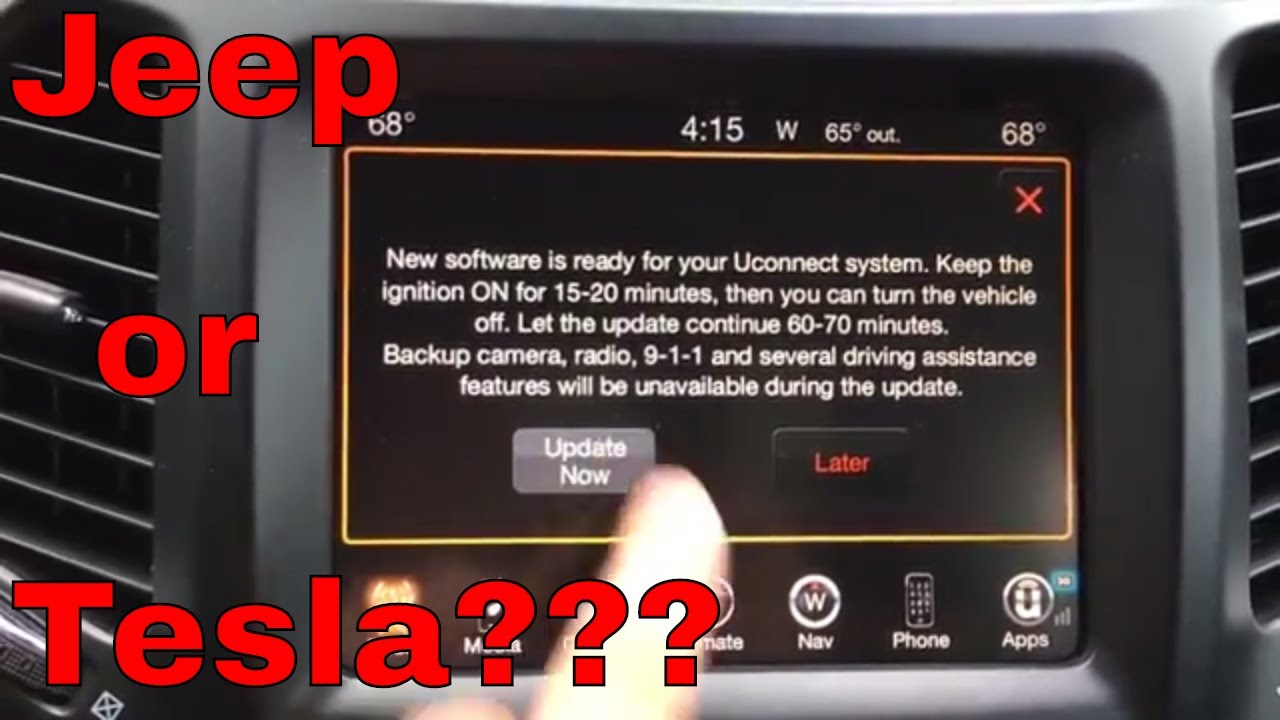
- The screen should show an update prompt.
- Follow instructions on the screen.
- Wait 20–45 minutes for installation. Do not turn off the vehicle.
Practical advice: Some updates restart the system multiple times. This is normal.
Step 5: Verify The Update
- After installation, check “System Information” for the new version number.
- Test key features (Bluetooth, navigation, radio).
If something isn’t working, restart your Jeep or repeat the update steps.
Common Problems When Updating Uconnect Jeep
Many beginners face issues during updates. Here are solutions to common problems:
- USB not recognized: Try another USB drive or reformat it.
- Wrong file: Make sure you downloaded the correct update for your VIN.
- Interrupted update: If power is lost, retry the process after restarting your Jeep.
- System freezes: Wait for at least 10 minutes. If it doesn’t resolve, contact your dealer.
A practical insight: Sometimes, old USB drives cause issues. Using a new, blank drive helps.
Pros And Cons Of Updating Uconnect Jeep Yourself
Updating Uconnect Jeep is easy for most people, but there are some ups and downs.
Pros
- Free: No dealer fees.
- Fast: No waiting for appointments.
- Convenient: Update at home.
Cons
- Risk of errors: Wrong file or interrupted update can cause problems.
- Time: Takes 30–60 minutes.
- Limited support: If issues happen, you might need help.
Here’s a quick comparison:
| Method | Cost | Time | Support |
|---|---|---|---|
| DIY USB | Free | 30–60 min | Limited |
| Dealer | $50–$150 | 1–2 hrs | Full |
| OTA | Free | 10–30 min | Automatic |
Can You Roll Back A Uconnect Update?
Usually, you cannot roll back Uconnect updates. Once updated, the new software replaces the old. If the update causes problems, only a dealer can sometimes restore a previous version.
Non-obvious tip: Always check forums or Jeep’s official site for update issues before installing. Sometimes, rare bugs are reported soon after a new update is released.
How Much Do Uconnect Updates Cost?
Most Uconnect updates are free if you do them yourself. Dealer service can cost $50–$150, but this includes labor and support. OTA updates are always free.
Example: In 2023, Jeep owners reported paying $80 for dealer updates, but most did USB updates at home for zero cost.
Is Updating Uconnect Jeep Safe?
Yes, updating is safe if you follow instructions. Jeep designs updates to install without harming your system. But:
- Use the correct update file for your VIN.
- Keep your Jeep turned on during the process.
- Don’t remove the USB drive until the update finishes.
Pro tip: If unsure, ask your dealer or check Jeep owner forums. Many users share their experiences and solutions.
Tips For A Smooth Uconnect Update
- Use a new USB drive to avoid file errors.
- Check your Jeep’s battery; updates need power.
- Read instructions before starting. Don’t rush.
- Backup your contacts and settings if possible.
- Update your phone’s software; it helps compatibility.
How Often Should You Update Uconnect Jeep?
Most experts recommend checking for updates every 6–12 months. Jeep releases updates when needed, not on a fixed schedule.
Example: In 2022, Jeep released two Uconnect updates for major bug fixes. Some owners skipped these and faced Bluetooth issues.
Uconnect Update Features: What’s New?
Recent updates can add or improve:
- Bluetooth reliability
- Navigation accuracy
- App support (like Alexa or Spotify)
- Security patches
- Voice command improvements
Here’s a table showing recent features by update:
| Update Year | Main Improvements | Models Affected |
|---|---|---|
| 2023 | Bluetooth, GPS accuracy | Grand Cherokee, Wrangler |
| 2022 | Alexa, UI speed | Compass, Renegade |
| 2021 | Android Auto, bug fixes | Cherokee, Gladiator |
Frequently Asked Questions
How Do I Know Which Uconnect Version My Jeep Has?
Go to “Settings” or “System Information” on your Uconnect screen. The software version is listed there. Compare it with versions on Jeep’s official site.
Can I Update Uconnect Jeep With My Phone?
No, updates require a USB drive or OTA update through Wi-Fi. Phones cannot install Uconnect updates directly.
What Should I Do If The Update Fails?
Restart your Jeep and try again. If it still fails, use a new USB drive or check Jeep forums. Dealers can help if you’re stuck.
Will Updating Uconnect Erase My Settings?
Usually, updates do not erase settings or contacts. But it’s smart to backup important info before updating.
Is It Safe To Drive During A Uconnect Update?
No. Always park your Jeep and keep it in “Park. ” Do not drive until the update is finished.
Bringing It All Together
Updating Uconnect Jeep keeps your vehicle’s tech reliable, safe, and fun. Whether you use USB, OTA, or visit a dealer, regular updates solve bugs and add new features. For most Jeep owners, the process is simple and free. Check your version, follow instructions, and enjoy the benefits.
Remember, staying up-to-date ensures your Jeep’s infotainment works perfectly with your phone and apps. If you face issues, don’t hesitate to ask for help or visit your dealer. Safe travels and happy updating!
—
Meta Title: How to Update Uconnect Jeep: Step-by-Step Guide for Beginners
Meta Description: Learn how to update Uconnect Jeep with easy steps. Keep your infotainment system current, fix bugs, and add new features. Includes tips, FAQs, and latest update details.