Keeping your Jeep Uconnect system up-to-date is important for getting the latest features, bug fixes, and better performance. Many Jeep owners are unsure how to update Uconnect and worry it might be too technical. The good news? Updating Uconnect is much easier than you think—and you don’t need to be a tech expert.
In this guide, you’ll learn the complete process, including checking your current version, preparing for an update, and fixing common problems. We’ll also cover the pros and cons, costs, and tips for avoiding mistakes. Whether you drive a Wrangler, Cherokee, Grand Cherokee, or another Jeep model, this article gives you everything you need for a successful update.
What Is Jeep Uconnect?
Jeep Uconnect is the infotainment system found in most modern Jeep vehicles. It controls navigation, music, Bluetooth, smartphone integration, and even climate settings. Uconnect connects your Jeep to the digital world, making your drive safer and more enjoyable.
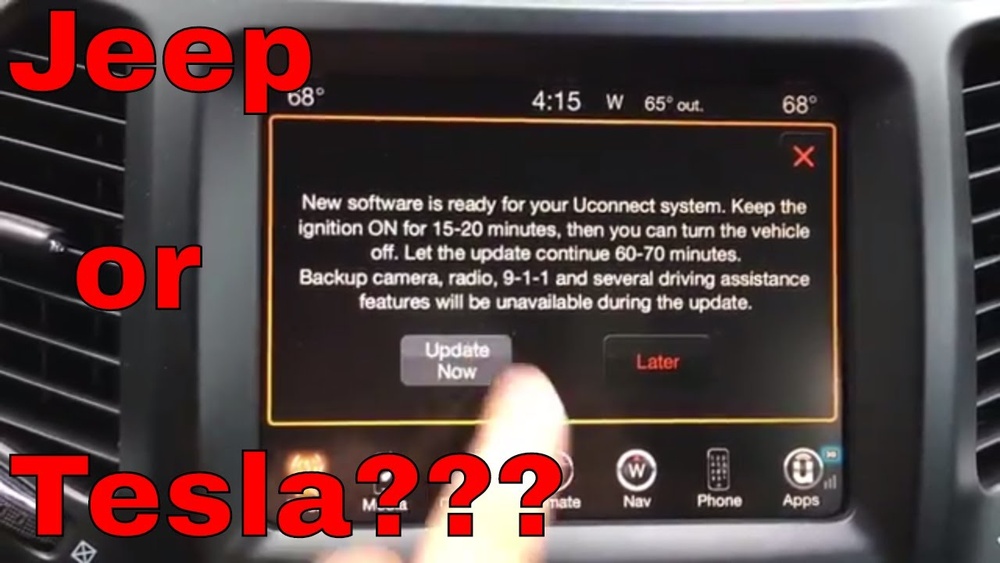
There are several Uconnect versions, like Uconnect 4, Uconnect 4C, and Uconnect 5. Each version supports different features and updates. If you want Apple CarPlay, Android Auto, or improved voice commands, you’ll need the latest software. Updates can fix bugs, improve security, and add new apps.
Why Update Jeep Uconnect?
Many drivers ignore software updates, but updating Uconnect gives you clear benefits:
- New features: Access the latest apps and improvements.
- Better performance: Faster response and fewer glitches.
- Improved security: Protection from hackers and bugs.
- Compatibility: Supports new smartphones and accessories.
Some updates are minor, fixing simple issues. Others are major, adding features like Alexa integration or improved navigation. A recent 2023 update added enhanced voice recognition and better Bluetooth stability.
Checking Your Current Uconnect Version
Before updating, you need to know which Uconnect version is in your Jeep. Here’s how:
- Turn on your Jeep and the Uconnect screen.
- Press the Settings icon.
- Scroll down and select System Information or About.
- Find the software version number.
Write down this number. You’ll compare it with the latest version online. Most Jeeps have this info easily available, but older models may need dealer help.
How To Update Jeep Uconnect
Updating Jeep Uconnect can be done in two main ways: over-the-air (OTA) or USB flash drive. Let’s break down both methods.
Over-the-air (ota) Update
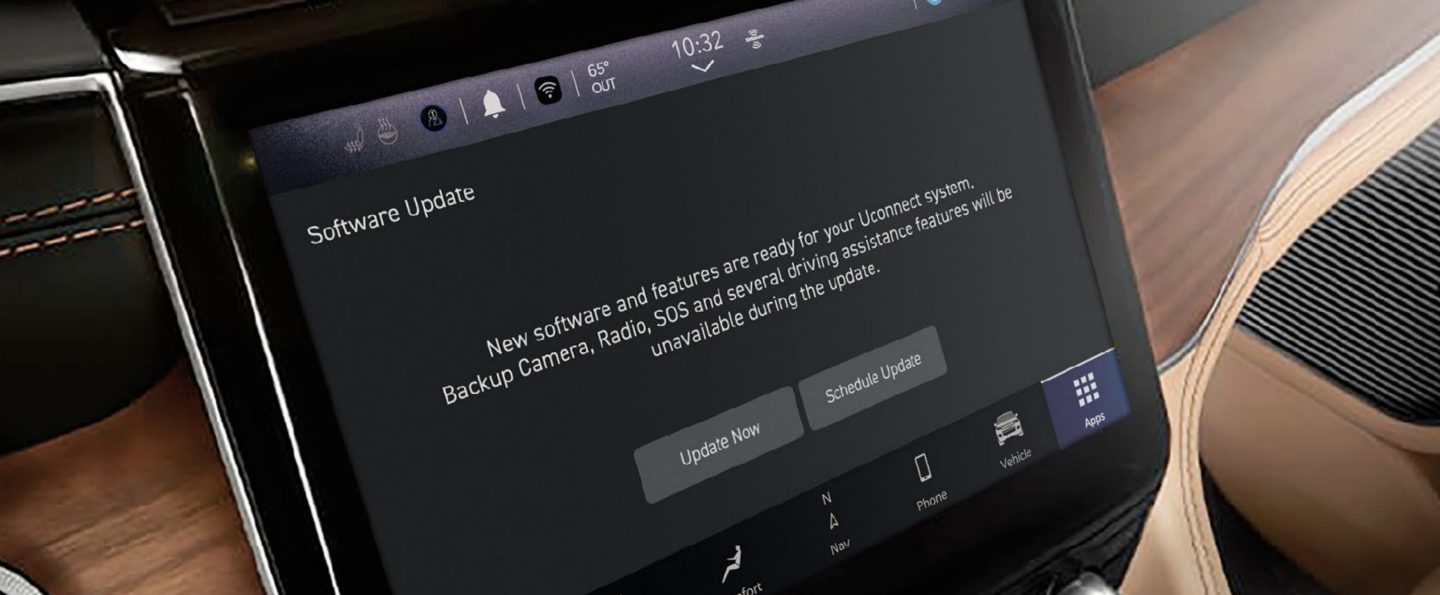
Many new Jeeps support OTA updates. This is the easiest way, as your vehicle downloads updates automatically.
Steps:
- Make sure your Jeep is parked in a safe place.
- Connect to Wi-Fi (if your Uconnect supports it).
- Wait for the system to notify you of a new update.
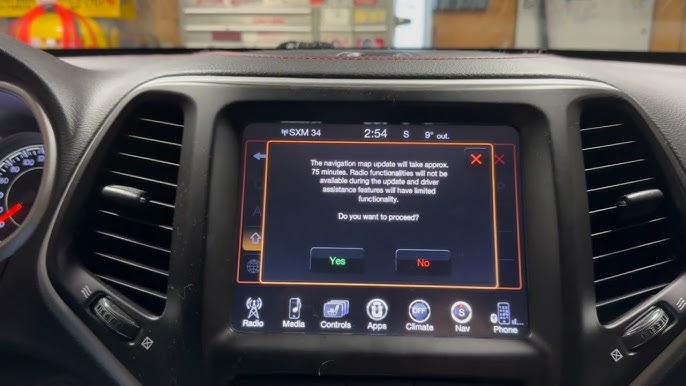
- Follow the on-screen instructions to start the update.
- Do not turn off the vehicle or system during the update.
OTA updates usually take 15–40 minutes. You may need to restart your Jeep once finished.
Usb Flash Drive Update
Older Jeeps or certain Uconnect versions require updates via USB drive.
Steps:
- Go to the Uconnect Software Update page on your computer.
- Enter your Jeep’s VIN to check for updates.
- Download the update file to your computer.
- Copy the file onto a blank USB flash drive (at least 4GB).
- Start your Jeep and insert the USB drive into the Uconnect port.
- Follow the on-screen instructions to install the update.
- Wait until the process is complete—do not remove the USB until finished.
USB updates take 30–60 minutes, depending on your Jeep model and Uconnect version.
Dealer Update Option
If you’re not comfortable updating yourself, you can visit a Jeep dealership. Dealers can perform updates for you, but there may be a fee.
Tip: Always check if your vehicle is still under warranty. Some dealers offer free Uconnect updates if your Jeep is less than 3 years old.
Pros And Cons Of Updating Uconnect
It’s smart to consider both sides before updating.
| Pros | Cons |
|---|---|
| Access new features | Risk of update failures |
| Improved security | May require dealership visit |
| Better compatibility | Can take up to an hour |
| Fixes bugs and glitches | Possible loss of custom settings |
Most updates succeed without problems. But rarely, an update may fail or cause system issues. If this happens, contact your dealer or Jeep support.
Costs And Pricing Details
Updating Uconnect yourself is free—you only need a USB drive and internet access. Dealer updates may cost $50–$150, depending on your location and Jeep model.
If your Jeep is under warranty, updates are often included. Always ask your dealer before paying. Also, some premium features (like navigation maps) may require a paid subscription.
Common Mistakes And How To Avoid Them
Many beginners make simple mistakes when updating Uconnect:
- Using a USB drive with files: Always use a blank USB.
- Removing the USB drive too early.
- Not checking the current software version.
- Skipping the VIN check for correct updates.
- Trying to update while driving.
To avoid problems:
- Park your Jeep and keep the engine running (or on accessory mode).
- Allow enough time for the update—don’t rush.
- Double-check instructions before starting.
Comparing Uconnect Versions
Understanding the differences between Uconnect versions helps you know what to expect. Here’s a quick comparison:
| Uconnect Version | Main Features | Update Method |
|---|---|---|
| Uconnect 4 | Basic Bluetooth, simple navigation | USB flash drive |
| Uconnect 4C | Apple CarPlay, Android Auto | USB or OTA |
| Uconnect 5 | Advanced apps, Alexa, Wi-Fi | OTA |
Uconnect 5 is the latest version, offering the best performance and newest features.
Practical Tips For A Smooth Update
- Check compatibility: Not all Jeeps support OTA updates.
- Use the official Uconnect website: Avoid third-party sites.
- Back up settings: Some updates reset custom preferences.
- Keep your VIN handy: You’ll need it for downloads.
- Update apps separately: Maps and navigation may require extra updates.
Insight: Some users forget to update their maps, leading to outdated directions even after a system update.
Real-life Example: Updating A 2021 Jeep Grand Cherokee
Let’s walk through a real-world update:
- Owner checks the System Information screen and finds Uconnect 4C version 18.45.01.
- Goes to the official Uconnect site and enters the VIN.
- Finds a newer version (22.60.01) available.
- Downloads the file, copies to a blank USB, and plugs into Jeep.
- Follows on-screen instructions. Update takes 35 minutes.
- After restart, owner notices smoother Bluetooth pairing and improved navigation.
This shows how updating can fix real problems and improve your driving experience.
Update Speed And Waiting Time
Update time depends on your Jeep model and method:
| Update Method | Average Time | Jeep Models Supported |
|---|---|---|
| OTA | 15–40 minutes | 2020+ Wrangler, Grand Cherokee, Gladiator |
| USB | 30–60 minutes | 2017–2020 Cherokee, Compass |
| Dealer | Up to 2 hours | All models |
Always allow extra time in case of slow download speeds or unexpected issues.
Extra Features After Updating
Some updates unlock new features:
- Voice assistant integration (Alexa, Google)
- Improved navigation maps
- Enhanced Bluetooth stability
- Faster touchscreen response
- New app support
These features can make your Jeep feel brand new, even if it’s a few years old.

Troubleshooting: What To Do If The Update Fails
Sometimes, an update might not finish or your Uconnect screen freezes.
Steps to fix:
- Restart your Jeep.
- Remove the USB drive and try again.
- Check the update file for errors.
- Contact Jeep support or your dealer.
Insight: If your Uconnect system is stuck after an update, disconnect the battery for 10 minutes. This resets the system, but should be done carefully.
Where To Find Official Updates
Always use the official Jeep or Uconnect website for updates. Avoid downloading files from unknown sources, as these can harm your system.
For more details, visit the official Jeep Uconnect page.
Frequently Asked Questions
How Often Should I Update Jeep Uconnect?
Most experts recommend checking for updates every 6–12 months. Major updates are released once or twice a year, but bug fixes may come more often. If you notice problems or new features announced, check your version.
Can I Update Uconnect Without A Dealership?
Yes, you can update Uconnect yourself using OTA or USB methods. Most updates are user-friendly. Only rare cases need dealer help, like hardware upgrades or major software issues.
Will Updating Uconnect Delete My Settings?
Some updates may reset custom settings (radio favorites, Bluetooth devices). Before updating, write down important preferences. After the update, you can restore them.
What If My Jeep Doesn’t Support Ota Updates?
If your Jeep doesn’t support OTA updates, use the USB flash drive method. Check the Uconnect website with your VIN to find the right update file.
Is It Safe To Update Uconnect?
Yes, updating Uconnect is safe when you use official files and follow instructions. Problems are rare, but always double-check before starting. If unsure, ask your dealer.
Wrapping Up: Why Keeping Uconnect Updated Matters
Updating your Jeep Uconnect system keeps your vehicle modern, secure, and enjoyable. It’s easy to do, costs little or nothing, and brings real benefits—from new features to better safety. Whether you update via Wi-Fi or USB, this guide gives you the confidence to take action.
Remember to check your current version, follow instructions, and allow enough time. With a few simple steps, your Jeep’s tech stays sharp and ready for the road.
—
Meta Title: How to Update Jeep Uconnect: Complete Beginner’s Guide
Meta Description: Learn how to update Jeep Uconnect with easy step-by-step instructions. Discover pros, cons, costs, common mistakes, and FAQs. Keep your Jeep’s infotainment system up-to-date for best performance.