If you drive a Jeep Cherokee or plan to buy one, you might wonder, does Jeep Cherokee have Android Auto? This feature helps connect your Android phone to your SUV, so you can use Google Maps, play music, and more, safely while driving.
Let’s explore which Jeep Cherokee models include Android Auto, how it works, and what you need to know before using it.
What Is Android Auto?
Android Auto is a system that connects your Android phone to your car’s infotainment screen. It lets you access apps, navigation, calls, and messages using voice commands or the car’s display. This means you can focus on driving, not your phone.
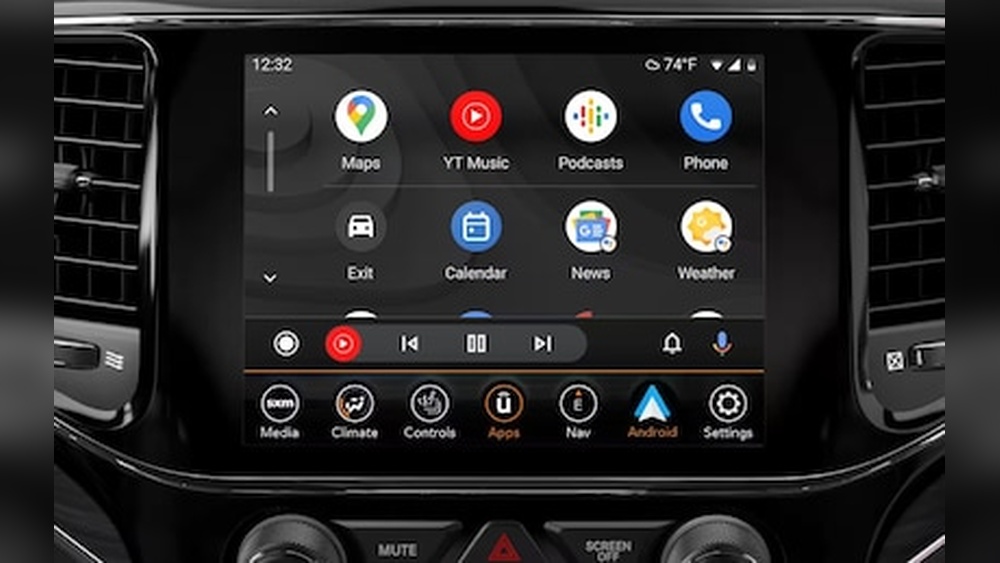
Android Auto supports popular apps like Google Maps, Spotify, and WhatsApp. It’s free and comes with most modern Android phones. But, the car must support it too.
Which Jeep Cherokee Models Have Android Auto?
Not every Jeep Cherokee includes Android Auto. The feature first appeared in certain trims and years, then became more common. Here’s a quick look at when Jeep started adding Android Auto to the Cherokee:
| Model Year | Android Auto Availability | Notes |
|---|---|---|
| 2014-2017 | No | Not supported on any trim |
| 2018 | Yes (selected trims) | Standard on higher trims; optional on some |
| 2019-2023 | Yes (most trims) | Standard on most, check specific trim |
- 2014-2017 Cherokee: These years do not have Android Auto.
- 2018 Cherokee: Android Auto starts appearing, mostly on the Latitude Plus, Limited, Overland, and Trailhawk trims with the 8.4-inch Uconnect display.
- 2019 and newer: Nearly all trims include Android Auto as standard, especially with the upgraded Uconnect system.
If you’re shopping used, check the trim level and infotainment system. Some base models may not have the right screen or software.
How To Use Android Auto In Jeep Cherokee
Setting up Android Auto in your Jeep Cherokee is simple if your model supports it. Here’s how you can get started:
- Check your Cherokee’s display. Android Auto needs the Uconnect system with at least a 7-inch or 8.4-inch touchscreen.
- Update your phone. Make sure your Android device runs version 6.0 (Marshmallow) or higher.
- Connect your phone. Use a high-quality USB cable to plug your phone into the vehicle’s USB port. Some 2021 and newer models support wireless Android Auto.
- Allow permissions. Your phone will prompt you to allow access for Android Auto. Accept these to continue.
- Use voice commands. Press the voice button on your steering wheel or tap the microphone on the display to talk to Google Assistant.
Most drivers set up Android Auto in a few minutes. A common mistake is using a poor-quality USB cable, which can cause connection problems.
Benefits Of Android Auto In Jeep Cherokee
Having Android Auto in your Jeep Cherokee offers several advantages:
- Safer driving: Use voice commands to avoid handling your phone.
- Better navigation: Access live traffic updates and alternate routes through Google Maps or Waze.
- Music and podcasts: Listen to Spotify, YouTube Music, or audiobooks easily.
- Messaging: Send and receive texts hands-free using your voice.
- Consistent interface: The look and feel are the same across different vehicles.
An overlooked benefit is regular updates. Google often adds new features, so your system can improve over time—even in an older car.
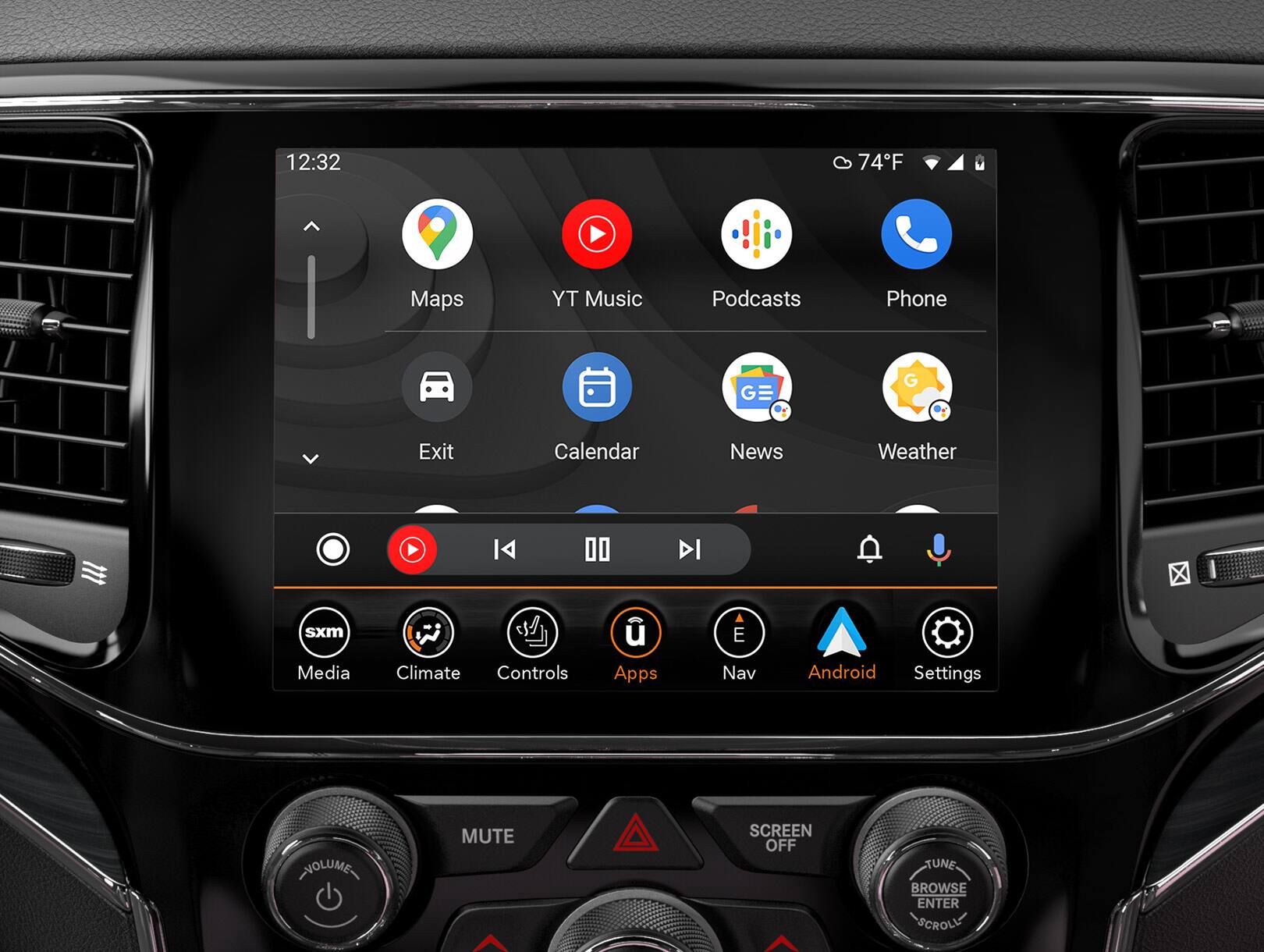
Comparing Uconnect And Android Auto
The Jeep Cherokee uses the Uconnect infotainment system. While Uconnect is good, Android Auto brings extra features and flexibility. Here’s a comparison to help you understand the differences:
| Feature | Uconnect | Android Auto |
|---|---|---|
| Navigation | Built-in (on some trims) | Uses phone apps (Google Maps, Waze) |
| Voice Assistant | Uconnect voice commands | Google Assistant |
| App Support | Limited (depends on trim) | Hundreds of Android apps |
| Updates | Via dealership or software | Automatic through your phone |
Many drivers prefer Android Auto for navigation and music because it updates often and offers more choices.
Common Issues And Solutions
Even with support, Android Auto might not work smoothly in every Jeep Cherokee. Here are some common issues and quick tips:
- Connection drops: Try a different USB cable or port.
- App not showing: Make sure your phone and the Uconnect system are updated.
- No sound: Check your car’s audio source and phone volume.
- Wireless Android Auto not available: Only some newer Cherokees support wireless; older ones need a cable.
A non-obvious issue is sometimes forgetting to unlock your phone before connecting. Also, not all USB ports are created equal some only charge and don’t support data.
How To Add Android Auto To Older Models
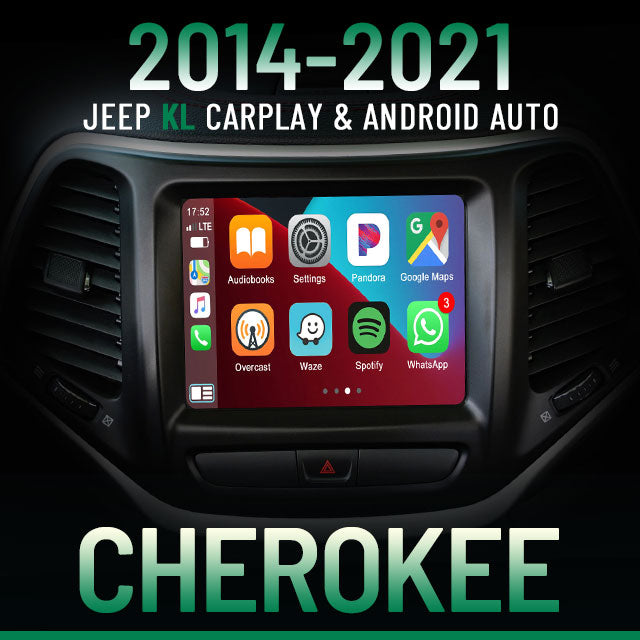
If you have a 2014-2017 Jeep Cherokee, you can’t add Android Auto through a software update. But, there are aftermarket solutions:
- Replace the head unit: Buy an Android Auto-compatible unit and have it professionally installed.
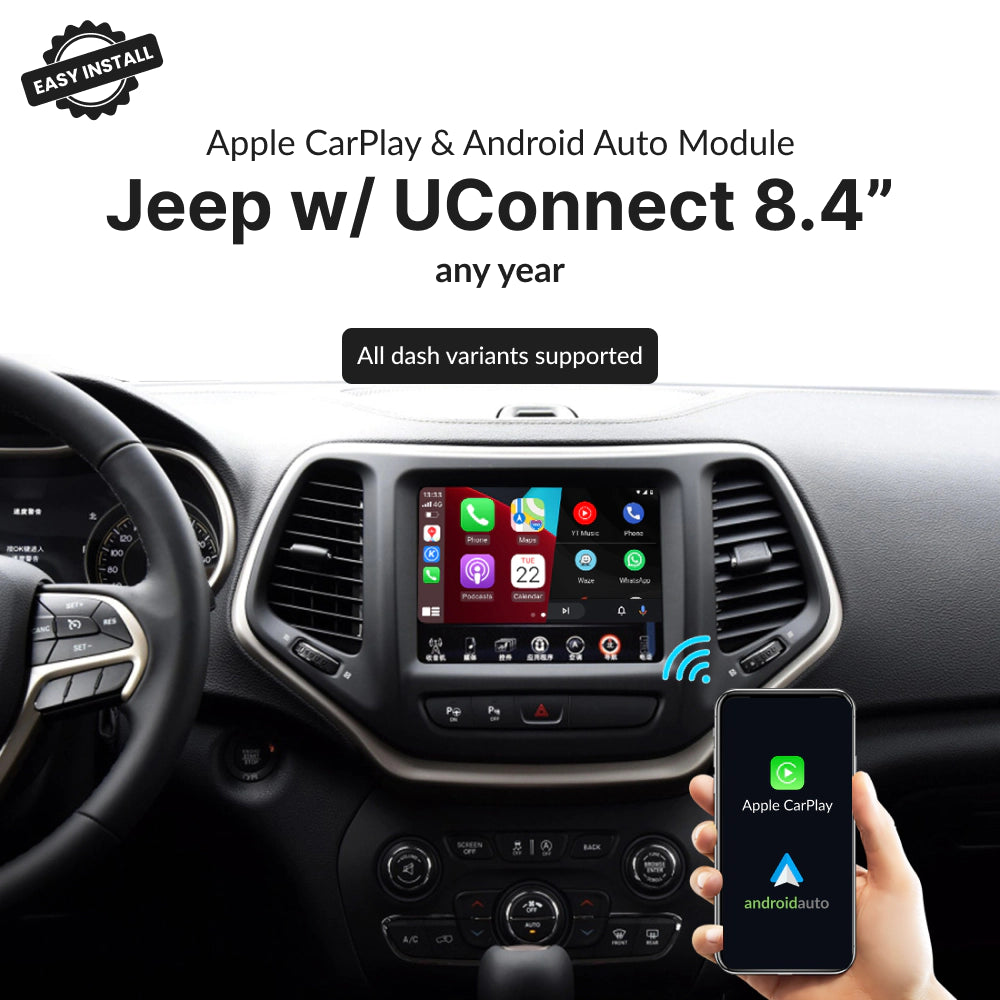
- Adapter kits: Some adapters claim to add Android Auto, but check reviews and compatibility first.
- Warranty concerns: Replacing the system might affect your vehicle’s warranty.
Most owners find that upgrading the head unit is the best way, but it requires time and money. Always research and choose a trusted installer.
Is Android Auto Worth It For Jeep Cherokee Owners?
For most drivers, Android Auto adds a lot of value. It makes daily commutes and road trips safer and more enjoyable. If you use navigation, stream music, or need hands-free messaging, it’s worth having.
However, if you’re not a heavy smartphone user or prefer built-in navigation, you may not use all its features. Still, having the option increases your Cherokee’s resale value.
For more details about Jeep Cherokee features, visit the official Jeep Cherokee page.
Frequently Asked Questions
Does Every Jeep Cherokee Have Android Auto?
No, only Jeep Cherokee models from 2018 and newer (with the correct infotainment screen) support Android Auto. Older models do not have this feature.
Can I Use Android Auto Wirelessly In My Jeep Cherokee?
Some 2021 and newer Jeep Cherokee trims support wireless Android Auto. Earlier models require a USB connection to work.
What Should I Do If Android Auto Isn’t Working?
First, check your USB cable and make sure your phone and Uconnect system are updated. Try restarting both devices. If issues continue, consult your dealership.
Can I Add Android Auto To My Older Cherokee?
You can add Android Auto to 2014-2017 Cherokees by installing an aftermarket head unit that supports it. This often requires professional installation.
Is Android Auto Better Than Uconnect’s Built-in Features?
Android Auto offers more app choices and regular updates. For navigation and music, many drivers prefer Android Auto. However, Uconnect’s built-in features are reliable for basic needs.
With Android Auto, your Jeep Cherokee becomes smarter, safer, and more connected making every drive a little easier.